Hidden Costs of Cron Monitoring Tools
That $20/month plan might actually cost $60. Per-user fees, SMS charges, and integration paywalls can dramatically inflate your real cost.

Hidden Costs of Cron Monitoring Tools
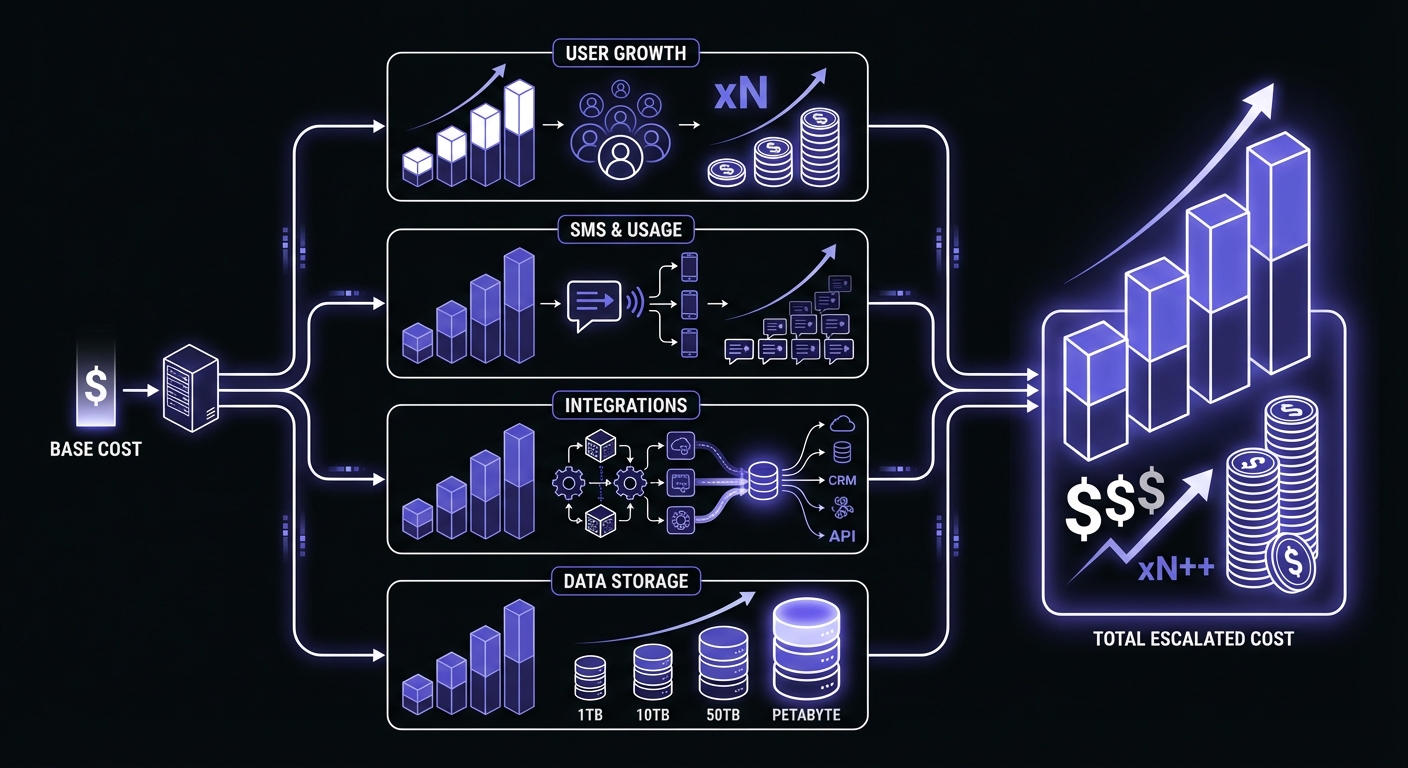
That $20/month cron monitoring plan? It might actually cost you $60. The advertised prices on pricing pages rarely tell the full story. Per-user fees, SMS charges, integration paywalls, and data retention limits can dramatically inflate your real cost. This guide exposes the hidden pricing tactics in cron monitoring so you know what you're actually signing up for. For a full breakdown of what tools actually charge, see our cron monitoring pricing comparison.
According to the 2024 Flexera State of the Cloud Report, over 82% of companies overspend on SaaS as they scale. The average waste per company reaches $135,000 annually. Monitoring tools are a common culprit.
Per-User Fees That Multiply
The most common hidden cost is per-user pricing that makes your bill grow with your team.
How It Works
Many tools advertise a low base price, then add per-user fees:
- Cronitor: $5/user/month on top of base plan
- Better Stack: $29/responder/month
These fees seem small until you do the math.
Real Cost Examples
Cronitor with a 5-person team:
- Advertised: "Starter plan $20/month"
- Reality: $20 base + (4 additional users x $5) = $40/month
- Actual cost: 2x the headline price
Better Stack with 3 on-call responders:
- Advertised: "Starting at $29/month"
- Reality: $29 base + (2 additional responders x $29) = $87/month
- Actual cost: 3x the headline price
Growing team scenario: You start with 2 people. Tool costs $25/month. Great! You hire 3 more developers. Now it's $25 + (3 x $5) = $40/month. You hire 5 more for a total of 10. Now it's $25 + (8 x $5) = $65/month.
Your monitoring cost grew 160% while your monitor count stayed the same. Understanding per-monitor vs per-seat pricing models helps you avoid this trap entirely.
Real Costs at Scale
Here's what monitoring 100 cron jobs actually costs across popular tools:
| Tool | 100 Monitors | 5 Users | Monthly Total |
|---|---|---|---|
| Cronitor | $200 | +$25 | $225 |
| Better Stack | $149+ | +$87 | $236+ |
| Healthchecks.io | $20 | Free | $20 |
| CronSignal | $5 | Free | $5 |
| CronRadar | $100 | Free | $100 |
| Cron Crew | $29 | Free | $29 |
The difference between transparent and hidden pricing can be 10x or more.
Why This Matters
Per-user pricing creates perverse incentives:
- You limit who has dashboard access
- Critical alerts don't reach everyone who needs them
- You create information silos
- When something breaks at 3 AM, the "right" person might not have access
The alternative: Tools like Cron Crew and Healthchecks.io include unlimited or generous user limits on base plans.
SMS and Phone Alert Credits
Most tools charge extra for SMS and phone call alerts, often in ways that aren't obvious.
Common SMS Pricing Models
Credit-based systems:
- Buy credits upfront ($10 for 100 SMS)
- Credits expire monthly
- International SMS costs more
- Phone calls cost 5-10x per alert
Example: UptimeRobot
- SMS credits sold separately
- Domestic SMS: ~$0.05-0.10 each
- International: $0.15-0.30 each
- Must actively manage credit balance
Example: Cronitor
- Included credits vary by plan
- Overage charges apply
- Easy to burn through during an incident
The Real Trap
During an incident, alerts fire frequently:
- Initial failure alert
- Still-down reminders (every 15-30 minutes)
- Resolution alert
- Possibly to multiple team members
Scenario:
- Critical job fails
- Down for 4 hours
- Alerts every 30 minutes = 8 alerts
- 3 team members configured = 24 SMS sent
- At $0.10 each = $2.40 for one incident
One bad week with multiple incidents can burn through your monthly credits fast.
Hidden Phone Call Costs
Phone call alerts are expensive:
- Typically $0.10-0.50 per call
- Per minute charges after connection
- International calls cost more
- Often buried in fine print
Example calculation:
- 5 critical alerts/month with phone calls
- 3 team members get called
- 15 calls x $0.30 = $4.50/month in call charges alone
This adds up on top of your base plan.
Protect Yourself
- Calculate expected SMS usage before choosing a plan
- Set up SMS only for truly critical jobs
- Use Slack/email for non-urgent alerts
- Check if credits roll over or expire
- Understand international SMS pricing
Integration Paywalls
Basic integrations on free, advanced ones on paid. This is standard, but the lines are drawn differently.
Common Pattern
Usually free:
- Email (always)
- Slack (usually, sometimes limited)
- Basic webhooks (sometimes)
Usually paid:
- PagerDuty
- Opsgenie
- MS Teams (sometimes)
- Custom webhooks (sometimes)
- API access (varies)
The Upgrade Trap
You start with email alerts. They work fine. Then:
- Your team adopts Slack. You want Slack alerts.
- Slack requires the $20/month tier. Fine.
- You grow and implement PagerDuty for on-call.
- PagerDuty requires the $50/month tier.
- Now you're paying $50/month for an integration, not for monitors.
Real Examples
Cronitor:
- Free: Email
- Starter ($20): Slack, webhooks
- Pro ($49): PagerDuty, Opsgenie
Better Stack:
- Free: Email
- Paid: Slack, PagerDuty, Opsgenie
Healthchecks.io (different approach):
- Free: 25+ integrations including Slack, PagerDuty, Telegram, Matrix
- Paid: Same integrations, just more monitors
Notice how the same integrations can be free on one tool and $50/month on another. When evaluating tools, consider the total ROI of cron monitoring rather than just the sticker price.
Webhook Limits
Even when webhooks are "included," they may be limited:
- Number of webhook endpoints
- Frequency of webhook calls
- Payload size restrictions
- No retry on failure
Check the fine print on webhooks if you rely on them.
Data Retention Gotchas
How long can you see your monitoring history? It varies dramatically.
Typical Retention by Tier
| Tier | Typical Retention |
|---|---|
| Free | 7 days |
| Starter | 30 days |
| Pro | 90 days |
| Enterprise | 1 year+ |
Why This Matters
Scenario 1: Debugging a pattern Your job has been slow lately. You want to check duration trends over the past 6 weeks. But you're on a 30-day retention plan. Too bad.
Scenario 2: Post-mortem investigation A customer reports an issue from 3 weeks ago. You need to verify if your sync job ran. Your 7-day retention already deleted that data.
Scenario 3: Compliance audit You need to prove backup jobs ran for the past quarter. Your retention doesn't cover that timeframe.
The Upgrade Push
Short retention is designed to push upgrades:
- Start with 7-day free tier
- Need more history? Upgrade.
- The upgrade is often 3-4x the cost
Example:
- Healthchecks.io free: 7 days retention
- Healthchecks.io Business: 90 days
- Jump from $0 to $80/month partially for retention
Export Limitations
Even if you want to export data for your own storage:
- API access may be limited or paid
- Export formats may be restrictive
- Bulk export may hit rate limits
- Some tools don't offer export at all
Feature-Gating That Bites Later
Features that seem basic are often locked behind higher tiers.
Duration Tracking
Knowing how long your job takes seems fundamental. But:
- Some tools only show pass/fail on lower tiers
- Duration tracking requires upgrade
- Duration-based alerts (job took too long) are often paid
You won't realize you need this until you're debugging a slow job.
Multi-Environment Support
Separating staging from production monitors:
- Some tools include on all plans
- Others require paid tiers
- Enterprise may be needed for full separation
Without this, you either:
- Get staging alerts mixed with production (noisy)
- Don't monitor staging at all (risky)
- Manually tag monitors (tedious)
Payload/Log Capture
Sending data with your ping (error messages, record counts):
- Often limited to X bytes on free
- Full payload capture on paid
- Log forwarding on enterprise
When debugging, you'll wish you had the payload data.
Start/Finish Signals
Tracking when jobs start, not just when they finish:
- Helps identify hung jobs
- Provides accurate duration
- Often a paid feature
Basic heartbeat monitoring doesn't catch jobs that start but never complete.
API Access
Automating monitor creation during deploys:
- Sometimes free
- Sometimes limited on free
- Sometimes paid-only
If you have CI/CD pipelines, check API access carefully.
Support Tiers
What happens when you have a problem?
"Community Support" = No Support
Free tier support typically means:
- Forum posts that may or may not get answered
- Public GitHub issues
- Documentation (hopefully good)
- No guaranteed response time
This is fine for technical users who can self-serve. It's not fine if you need help urgently.
Email Support Tiers
| Response Time | Typical Tier |
|---|---|
| 48-72 hours | Starter |
| 24 hours | Pro |
| 4-8 hours | Business |
| 1 hour | Enterprise |
If monitoring is critical and you might need help, factor support into the decision.
Priority Support Costs
Enterprise-level support often comes with:
- Dedicated account manager
- Phone support
- Guaranteed SLAs
- Custom integrations help
Price: Often 2-3x the base plan, or completely custom.
Most SMBs don't need this, but don't assume "support" means the same thing across tiers.
High-Watermark Billing
Some enterprise tools charge based on peak usage, not average usage. This billing model penalizes temporary spikes.
How It Works
Your bill is calculated using the 99th percentile of usage for the month. If you spin up extra containers during a deploy or experience a traffic spike, you pay for that peak all month.
Example with Datadog:
- Normal usage: 50 hosts
- Deploy spike: 100 hosts for 2 hours
- Billed for: 100 hosts for the entire month
- Cost increase: 2x for a 2-hour spike
This model exists in APM tools, log aggregators, and some cron monitoring platforms that charge per host.
Why It Matters
You end up making infrastructure decisions based on billing, not application needs. Teams avoid auto-scaling or delay deployments to avoid triggering higher billing tiers.
Protect Yourself
- Ask vendors explicitly: "Do you bill for peak usage?"
- Request per-monitor or per-job pricing instead of per-host
- Check if usage resets daily or monthly
Annual Billing Pressure
The discount sounds good. The lock-in might not be.
Typical Annual Discounts
- 10-20% off monthly price
- Sometimes 1-2 months free
- Rarely more than 25% savings
The Trade-Off
What you get:
- Lower monthly cost
- Budget predictability
What you give up:
- Flexibility to switch tools
- Ability to downgrade if needs change
- No pro-rated refunds (usually)
- Locked into this vendor for 12 months
When Annual Makes Sense
- You've used the tool for 3+ months successfully
- Your needs are stable
- The savings are meaningful
- You trust the vendor's direction
When to Avoid Annual
- You're still evaluating tools
- Your team size or needs are changing
- The tool feels immature
- The discount is trivial (less than 15%)
Calculate Your Total Cost of Ownership
Before committing, calculate your actual monthly cost using this formula:
Total Monthly Cost =
  Base plan price
+ (Additional users × Per-user fee)
+ (Expected SMS alerts × SMS cost)
+ Integration tier upgrade (if needed)
+ Data retention upgrade (if needed)
+ Support tier (if needed)
Example TCO calculation:
You need 50 monitors, 5 team members, Slack + PagerDuty, and 90-day retention.
| Line Item | Cronitor | Healthchecks.io | Cron Crew |
|---|---|---|---|
| Base (50 monitors) | $100 | $20 | $15 |
| Users (5) | $25 | $0 | $0 |
| PagerDuty tier | $0 (included) | $0 (included) | $0 (included) |
| 90-day retention | $0 (included) | $60 upgrade | $0 (included) |
| Monthly Total | $125 | $80 | $15 |
The cheapest advertised price isn't always the cheapest actual cost.

2026 Pricing Alternatives
Several tools now offer transparent, flat-rate pricing:
- CronSignal: $5/month flat for unlimited monitors
- CronRadar: $1/monitor/month, free through mid-2026
- Cronly: $1/monitor/month or $10/monitor/year
- Healthchecks.io: $20/month for 100 checks with all integrations
These tools prove that cron monitoring doesn't need complex pricing tiers.
How We're Different
At Cron Crew, we designed pricing to avoid these traps.
Simple Per-Monitor Pricing
- Free: 15 monitors
- Starter: $15/month for 50 monitors
- Pro: $29/month for 150 monitors
No hidden tiers. No complex calculations.
No Per-Seat Fees
Your whole team can access the dashboard. Invite your developers, your DevOps, your CEO. We don't charge extra.
Why? Because limiting access to monitoring data is counterproductive. When things break, you want everyone to have visibility.
All Integrations Included
Slack, webhooks, email, on every plan including free. We don't paywall basic functionality.
PagerDuty and Opsgenie are coming, and they'll be included too.
Transparent About What's Included
Our pricing page shows exactly what you get at each tier:
- Monitor count
- Features included (all of them)
- User limits (unlimited)
- Alert channels (all included)
No surprises. No fine print gotchas.
Checklist: What to Ask Before Signing Up
Before committing to a cron monitoring tool, verify:
User pricing:
- How many users are included?
- What's the per-user fee for additional users?
- Is there a maximum user limit?
Alert costs:
- Are SMS alerts included or extra?
- What do SMS credits cost?
- Do unused credits expire?
- What do phone call alerts cost?
Integrations:
- Is Slack included on my tier?
- Is PagerDuty included on my tier?
- Are webhooks limited?
- Is API access included?
Data and features:
- How long is data retained?
- Is duration tracking included?
- Is multi-environment support included?
- Is payload capture included?
Support:
- What support is included on my tier?
- What's the expected response time?
- Is there any phone support?
Billing:
- Are there annual discounts?
- Is there a refund policy?
- How does upgrading/downgrading work?
Conclusion
The advertised price is rarely the real price. Per-user fees, SMS charges, integration paywalls, and data retention limits can easily double your expected cost.
Common hidden costs:
- Per-user fees ($5-29/user/month)
- SMS and phone credits
- Integration upgrades
- Data retention upgrades
- Feature-gating on basic capabilities
How to avoid surprises:
- Calculate total cost including team size
- Check integration availability on your tier
- Understand SMS/phone pricing
- Verify data retention meets your needs
- Read the fine print on features
The transparent alternative: Choose tools with simple pricing and no hidden fees. Cron Crew offers unlimited users, all integrations, and straightforward per-monitor pricing with no surprises.
For more pricing details, see our Cron Monitoring Pricing Comparison. For tool recommendations, check our Best Cron Monitoring Tools guide.
Ready for transparent pricing? Try Cron Crew free with 15 monitors, unlimited users, and all features included. No credit card required, no hidden fees.