Python Cron Job Monitoring Guide
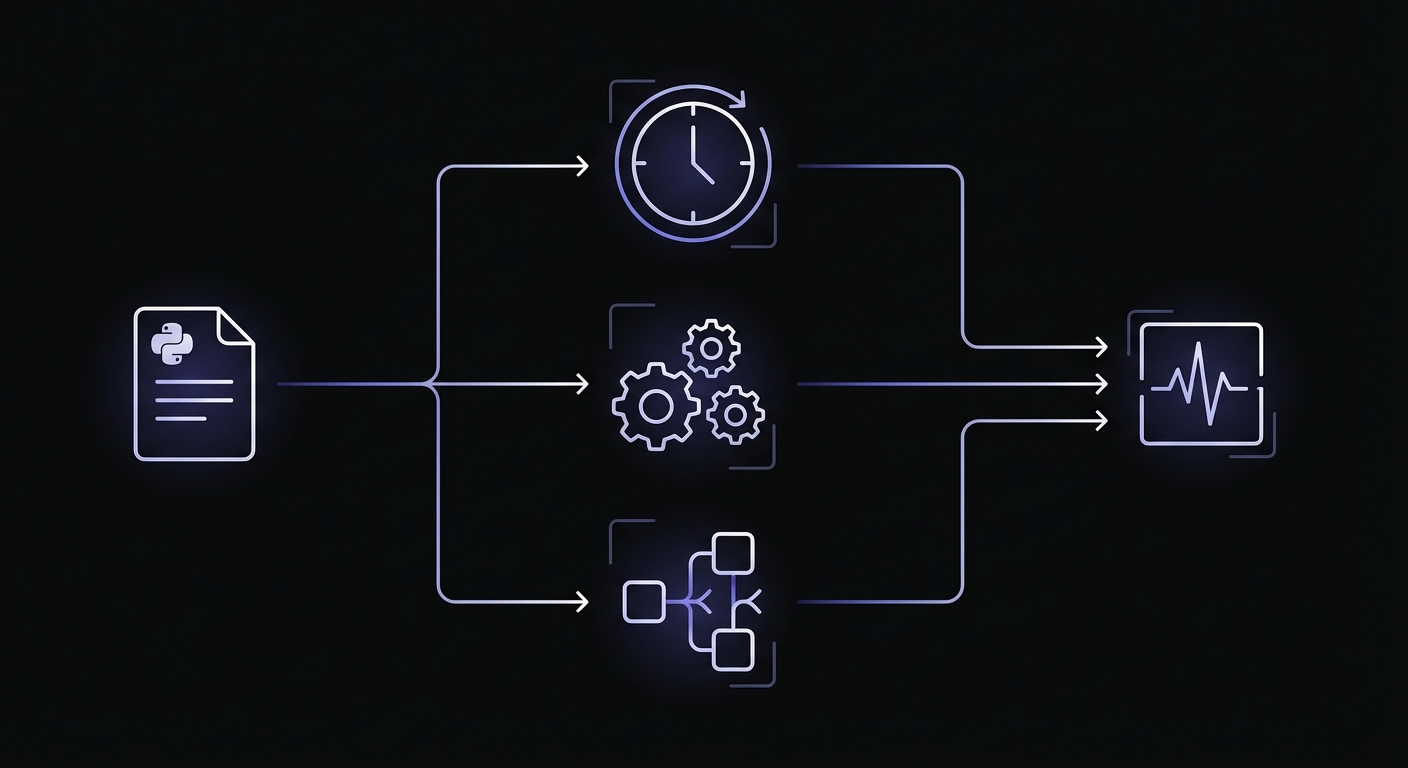
Python offers multiple scheduling approaches: system cron, APScheduler, and Celery. Each has different failure modes. This guide covers monitoring for all of them.

Python Cron Job Monitoring Guide
Python powers everything from simple scripts to complex distributed systems. When it comes to scheduled tasks, the language offers multiple approaches: system cron running Python scripts, in-process schedulers like APScheduler, and distributed task queues like Celery. Each approach has different failure modes and monitoring requirements.
This comprehensive guide covers monitoring techniques for every major Python scheduling pattern, with practical code examples you can implement today. For foundational concepts, check out our complete guide to cron job monitoring.
The Python Scheduling Landscape
Before diving into monitoring, let's understand the different ways Python applications handle scheduled tasks.
System Cron with Python Scripts
The simplest approach: write a Python script, schedule it with system cron. No dependencies, no complexity, but also no built-in visibility into failures.
# crontab
0 0 * * * /usr/bin/python3 /app/scripts/daily_report.py
APScheduler (In-Process Scheduling)
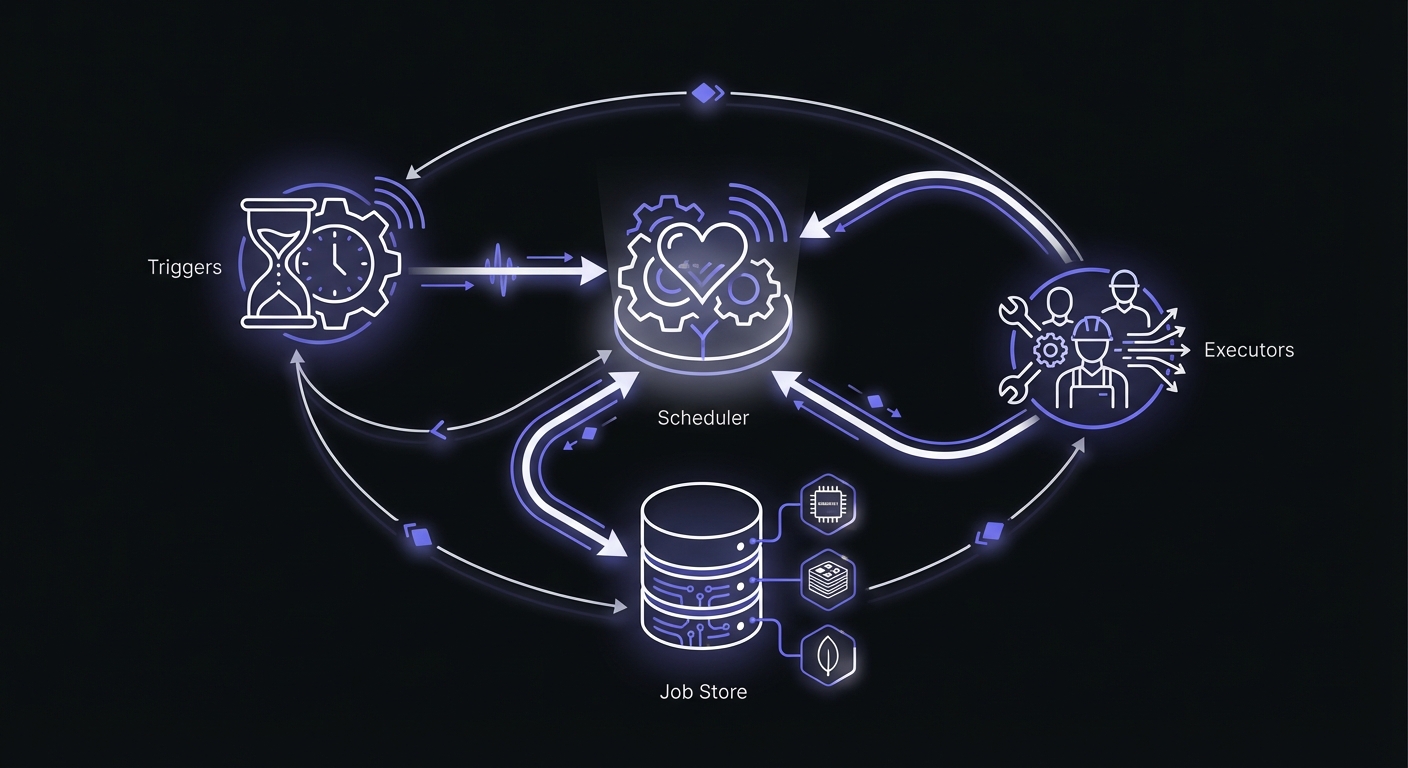
APScheduler runs within your Python process, managing schedules internally. Great for applications that are already long-running, like web servers or daemons.
Celery Beat (Distributed Task Scheduling)
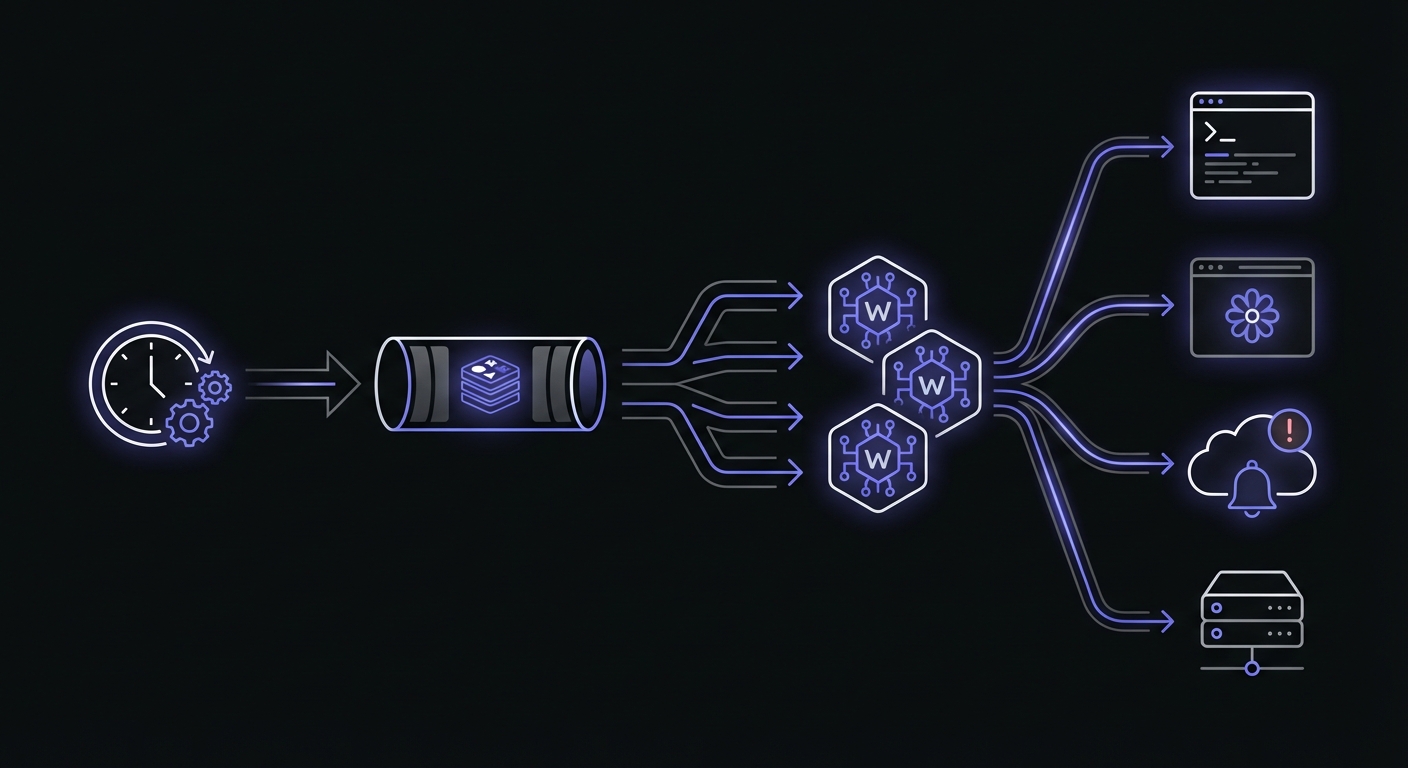
Celery Beat schedules tasks that execute across a distributed worker pool. Ideal for high-volume task processing but adds complexity.
Django Management Commands
Django's management commands are often run via cron. They're just Python scripts with Django's ORM and settings available. For Django-specific patterns and best practices, see our dedicated guide on Django cron job monitoring.
Apache Airflow
For complex data pipelines, Airflow provides DAG-based scheduling with built-in monitoring. If you're using Airflow, it has its own monitoring ecosystem worth exploring separately.
Choosing the Right Approach
| Approach | Best For | Complexity | Persistence | Distributed |
|---|---|---|---|---|
| System Cron | Simple scripts, one-off jobs | Low | N/A | No |
| APScheduler | Web apps, long-running processes | Medium | Optional (Redis, SQLAlchemy) | No |
| Celery Beat | High-volume, distributed systems | High | Yes (broker-backed) | Yes |
| Django Commands + Cron | Django apps with scheduled tasks | Low-Medium | N/A | No |
Cloud platform constraints to consider:
- Google Cloud Scheduler: 30-minute maximum timeout
- AWS Lambda: 15-minute invocation limit
- Standard web servers (nginx): Often 60-second timeouts by default
Monitoring System Cron Python Scripts
Let's start with the most common pattern: a Python script scheduled via system cron.
Basic monitoring with start and finish signals:
#!/usr/bin/env python3
import requests
import sys

MONITOR_URL = 'https://ping.example.com/abc123'

def main():
    # Signal job start
    try:
        requests.get(f'{MONITOR_URL}/start', timeout=10)
    except requests.RequestException:
        pass  # Don't fail the job if monitoring is down

    try:
        # Your actual job logic
        process_daily_data()
        generate_reports()
        send_notifications()

        # Signal success
        requests.get(MONITOR_URL, timeout=10)

    except Exception as e:
        # Signal failure with error message
        try:
            requests.get(
                f'{MONITOR_URL}/fail',
                params={'error': str(e)[:100]},
                timeout=10
            )
        except requests.RequestException:
            pass
        raise  # Re-raise to ensure non-zero exit code

if __name__ == '__main__':
    main()
Key points:
- Always wrap monitoring calls in try/except so monitoring failures don't break your job
- Use timeouts to prevent hanging on network issues
- Truncate error messages since URLs have length limits
- Re-raise exceptions after signaling failure to preserve exit codes
Monitoring APScheduler Jobs
APScheduler manages schedules within your Python process. Here's how to add monitoring to APScheduler jobs.
Basic APScheduler monitoring:
from apscheduler.schedulers.blocking import BlockingScheduler
import requests
import logging

logger = logging.getLogger(__name__)

MONITOR_URLS = {
    'daily_report': 'https://ping.example.com/abc123',
    'hourly_sync': 'https://ping.example.com/def456',
}

def monitored_job(monitor_key):
    """Decorator factory for monitored jobs."""
    def decorator(func):
        def wrapper(*args, **kwargs):
            url = MONITOR_URLS.get(monitor_key)
            if not url:
                return func(*args, **kwargs)

            # Signal start
            try:
                requests.get(f'{url}/start', timeout=10)
            except requests.RequestException as e:
                logger.warning(f'Failed to signal start: {e}')

            try:
                result = func(*args, **kwargs)
                # Signal success
                requests.get(url, timeout=10)
                return result
            except Exception as e:
                # Signal failure
                try:
                    requests.get(f'{url}/fail', timeout=10)
                except requests.RequestException:
                    pass
                raise
        return wrapper
    return decorator

@monitored_job('daily_report')
def generate_daily_report():
    """Generate the daily report."""
    # Your report logic here
    print("Generating daily report...")

@monitored_job('hourly_sync')
def sync_external_data():
    """Sync data from external API."""
    # Your sync logic here
    print("Syncing external data...")

def main():
    scheduler = BlockingScheduler()

    scheduler.add_job(
        generate_daily_report,
        'cron',
        hour=0,
        minute=0
    )

    scheduler.add_job(
        sync_external_data,
        'cron',
        minute=0  # Every hour
    )

    print('Starting scheduler...')
    scheduler.start()

if __name__ == '__main__':
    main()
APScheduler Job Persistence
By default, APScheduler stores jobs in memory. If your application restarts, all scheduled jobs are lost. For production, use a persistent job store:
SQLAlchemy job store (PostgreSQL, MySQL, SQLite):
from apscheduler.schedulers.blocking import BlockingScheduler
from apscheduler.jobstores.sqlalchemy import SQLAlchemyJobStore

jobstores = {
    'default': SQLAlchemyJobStore(
        url='postgresql://user:pass@localhost/dbname'
    )
}

scheduler = BlockingScheduler(jobstores=jobstores)
Redis job store:
from apscheduler.schedulers.blocking import BlockingScheduler
from apscheduler.jobstores.redis import RedisJobStore

jobstores = {
    'default': RedisJobStore(
        host='localhost',
        port=6379,
        db=0
    )
}

scheduler = BlockingScheduler(jobstores=jobstores)
With persistent job stores, jobs survive application restarts and can be shared across multiple scheduler instances.
Monitoring Celery Beat Tasks
Celery adds complexity because tasks are scheduled by Beat but executed by workers. You need to monitor the actual task execution, not just the scheduling.
Monitored Celery task:
from celery import Celery
import requests
import os

app = Celery('tasks')
app.config_from_object('celeryconfig')

MONITOR_URLS = {
    'process_daily_reports': os.environ.get('MONITOR_DAILY_REPORTS'),
    'sync_inventory': os.environ.get('MONITOR_INVENTORY_SYNC'),
}

def with_monitoring(task_name):
    """Decorator for monitored Celery tasks."""
    def decorator(func):
        def wrapper(*args, **kwargs):
            url = MONITOR_URLS.get(task_name)

            if url:
                try:
                    requests.get(f'{url}/start', timeout=10)
                except requests.RequestException:
                    pass

            try:
                result = func(*args, **kwargs)

                if url:
                    try:
                        requests.get(url, timeout=10)
                    except requests.RequestException:
                        pass

                return result

            except Exception as e:
                if url:
                    try:
                        requests.get(f'{url}/fail', timeout=10)
                    except requests.RequestException:
                        pass
                raise

        return wrapper
    return decorator

@app.task
@with_monitoring('process_daily_reports')
def process_daily_reports():
    """Process and send daily reports."""
    # Report processing logic
    generate_reports()
    send_emails()

@app.task
@with_monitoring('sync_inventory')
def sync_inventory():
    """Sync inventory with warehouse system."""
    # Inventory sync logic
    fetch_warehouse_data()
    update_local_inventory()
Celery Beat configuration (celeryconfig.py):
from celery.schedules import crontab

beat_schedule = {
    'daily-reports': {
        'task': 'tasks.process_daily_reports',
        'schedule': crontab(hour=0, minute=0),
    },
    'hourly-inventory-sync': {
        'task': 'tasks.sync_inventory',
        'schedule': crontab(minute=0),
    },
}
Celery CLI Inspection Commands
Celery provides built-in commands for inspecting worker and task status:
# Check if workers are alive
celery -A proj inspect ping

# List active tasks on all workers
celery -A proj inspect active

# List scheduled tasks (ETA/countdown)
celery -A proj inspect scheduled

# List reserved tasks (received but not started)
celery -A proj inspect reserved

# Show worker statistics
celery -A proj inspect stats
Using Flower for Celery Monitoring
Flower is a web-based monitoring tool for Celery clusters. It provides real-time task progress, worker status, and historical data.
# Install Flower
pip install flower

# Start Flower (default port 5555)
celery -A proj flower

# With authentication
celery -A proj flower --basic_auth=user:password
Flower shows task latency (time between received and started), runtime, arguments, and results. For Docker deployments, add a health check using celery inspect ping:
HEALTHCHECK --interval=30s --timeout=10s \
  CMD celery -A proj inspect ping -d celery@$HOSTNAME
Monitoring Django Management Commands
Django management commands are a common pattern for scheduled tasks. Here's how to add monitoring while keeping commands clean.
Base class approach for consistent monitoring:
# myapp/management/base.py
import requests
from django.core.management.base import BaseCommand
from django.conf import settings

class MonitoredCommand(BaseCommand):
    """Base class for management commands with built-in monitoring."""

    monitor_key = None  # Override in subclass

    def handle(self, *args, **options):
        url = self.get_monitor_url()

        if url:
            self.signal_start(url)

        try:
            result = self.execute(*args, **options)

            if url:
                self.signal_success(url)

            return result

        except Exception as e:
            if url:
                self.signal_failure(url, str(e))
            raise

    def execute(self, *args, **options):
        """Override this method with your command logic."""
        raise NotImplementedError(
            'Subclasses must implement execute()'
        )

    def get_monitor_url(self):
        if not self.monitor_key:
            return None
        monitors = getattr(settings, 'CRON_MONITORS', {})
        return monitors.get(self.monitor_key)

    def signal_start(self, url):
        try:
            requests.get(f'{url}/start', timeout=10)
        except requests.RequestException as e:
            self.stderr.write(f'Monitor start signal failed: {e}')

    def signal_success(self, url):
        try:
            requests.get(url, timeout=10)
        except requests.RequestException as e:
            self.stderr.write(f'Monitor success signal failed: {e}')

    def signal_failure(self, url, error):
        try:
            requests.get(
                f'{url}/fail',
                params={'error': error[:100]},
                timeout=10
            )
        except requests.RequestException:
            pass
Using the base class:
# myapp/management/commands/process_orders.py
from myapp.management.base import MonitoredCommand
from myapp.services import OrderProcessor

class Command(MonitoredCommand):
    help = 'Process pending orders'
    monitor_key = 'process_orders'

    def execute(self, *args, **options):
        processor = OrderProcessor()
        processed = processor.process_pending()
        self.stdout.write(
            self.style.SUCCESS(f'Processed {processed} orders')
        )
Django settings configuration:
# settings.py
import os

CRON_MONITORS = {
    'process_orders': os.environ.get('MONITOR_PROCESS_ORDERS'),
    'send_notifications': os.environ.get('MONITOR_SEND_NOTIFICATIONS'),
    'cleanup_sessions': os.environ.get('MONITOR_CLEANUP_SESSIONS'),
}
Creating a Reusable Decorator
For maximum flexibility across different Python scheduling approaches, create a universal decorator:
# monitoring.py
import requests
import functools
import logging
import os
from typing import Optional, Callable

logger = logging.getLogger(__name__)

def monitor_job(
    ping_url: Optional[str] = None,
    env_var: Optional[str] = None,
    timeout: int = 10,
    include_error: bool = True
):
    """
    Decorator to add monitoring to any scheduled job.

    Args:
        ping_url: Direct URL to ping
        env_var: Environment variable containing the URL
        timeout: Request timeout in seconds
        include_error: Whether to include error message in failure ping
    """
    def decorator(func: Callable) -> Callable:
        @functools.wraps(func)
        def wrapper(*args, **kwargs):
            # Resolve URL
            url = ping_url or os.environ.get(env_var or '')

            if not url:
                logger.debug(
                    f'No monitor URL for {func.__name__}, skipping'
                )
                return func(*args, **kwargs)

            # Signal start
            try:
                requests.get(f'{url}/start', timeout=timeout)
            except requests.RequestException as e:
                logger.warning(
                    f'Monitor start failed for {func.__name__}: {e}'
                )

            # Execute job
            try:
                result = func(*args, **kwargs)

                # Signal success
                try:
                    requests.get(url, timeout=timeout)
                except requests.RequestException as e:
                    logger.warning(
                        f'Monitor success failed for {func.__name__}: {e}'
                    )

                return result

            except Exception as e:
                # Signal failure
                try:
                    params = {}
                    if include_error:
                        params['error'] = str(e)[:100]
                    requests.get(
                        f'{url}/fail',
                        params=params,
                        timeout=timeout
                    )
                except requests.RequestException:
                    pass

                raise

        return wrapper
    return decorator


# Usage examples:

@monitor_job(ping_url='https://ping.example.com/abc123')
def my_simple_job():
    """Job with hardcoded URL."""
    pass

@monitor_job(env_var='MONITOR_DAILY_BACKUP')
def daily_backup():
    """Job with URL from environment variable."""
    pass
Best Practices
Use Requests with Timeout
Never make HTTP requests without a timeout. A hanging monitoring call shouldn't block your job indefinitely:
# Bad - can hang forever
requests.get(url)

# Good - fails fast if network issues
requests.get(url, timeout=10)
Don't Let Monitoring Failures Break Your Job
Monitoring is observability, not core functionality. If the monitoring service is down, your job should still run:
# Bad - monitoring failure stops the job
requests.get(f'{url}/start')
do_work()

# Good - monitoring failure is logged but ignored
try:
    requests.get(f'{url}/start', timeout=10)
except requests.RequestException:
    logger.warning('Monitor ping failed')
do_work()
Capture Meaningful Error Messages
When signaling failures, include enough context to understand what went wrong:
except Exception as e:
    error_msg = f'{type(e).__name__}: {str(e)}'[:100]
    requests.get(f'{url}/fail', params={'error': error_msg})
Use Environment Variables for Ping URLs
Hardcoding URLs makes it difficult to use different monitors for staging vs production:
# Bad - hardcoded
MONITOR_URL = 'https://ping.example.com/abc123'

# Good - configurable
MONITOR_URL = os.environ.get('MONITOR_DAILY_JOB')
Troubleshooting Common Issues
SSL Verification Errors
If you're behind a corporate proxy or have certificate issues:
# Quick fix (not recommended for production)
requests.get(url, verify=False, timeout=10)

# Better: specify CA bundle
requests.get(url, verify='/path/to/ca-bundle.crt', timeout=10)
Timeout Handling
Balance fast failures against slow networks:
# Too aggressive for slow networks
requests.get(url, timeout=1)

# More reasonable default
requests.get(url, timeout=10)

# For very slow connections
requests.get(url, timeout=30)
Virtual Environment Issues with Cron
System cron doesn't activate virtual environments automatically:
# Bad - uses system Python
0 * * * * python /app/script.py

# Good - explicit path to venv Python
0 * * * * /app/venv/bin/python /app/script.py
Network Errors
Handle transient network issues gracefully:
from requests.adapters import HTTPAdapter
from urllib3.util.retry import Retry

session = requests.Session()
retries = Retry(total=3, backoff_factor=0.1)
session.mount('https://', HTTPAdapter(max_retries=retries))

# Now uses retry logic
session.get(url, timeout=10)
Conclusion
Python's flexibility means there's no single right way to schedule tasks, but the monitoring pattern remains consistent: signal when you start, signal when you finish, and signal when you fail. Whether you're running simple cron scripts, APScheduler jobs, Celery tasks, or Django management commands, the core approach is the same.
Start by identifying your most critical scheduled tasks, then implement monitoring using the patterns shown here. The reusable decorator approach works across all Python scheduling methods and keeps your monitoring code DRY.
For Django-specific patterns with management commands and Celery Beat, see our Django cron monitoring guide. If you are evaluating monitoring tools, our cron monitoring pricing comparison can help you choose the right service.
Ready to monitor your Python jobs? Cron Crew works seamlessly with any Python scheduling approach. Create a monitor, grab your ping URL, and add a few lines of code. You'll have visibility into your scheduled tasks within minutes.