Django Cron Jobs: Setup and Monitoring Guide
Django apps rely on scheduled tasks for everything from session cleanup to billing. They fail silently. This guide covers setup and monitoring.
Django Cron Jobs: Setup and Monitoring Guide
Django applications rely on scheduled tasks for everything from session cleanup to subscription billing. Whether you use system cron with management commands, Celery Beat, or django-crontab, these background jobs share a common problem: they fail silently. Your daily billing job could crash every night for a week before anyone notices something is wrong.
This guide covers both setting up scheduled jobs in Django and monitoring them effectively. For broader context on cron monitoring, see our complete guide to cron job monitoring.
Django Scheduling Options
Django doesn't include a built-in scheduler, so the ecosystem offers several approaches.
System Cron with Management Commands
The simplest and most common approach: write Django management commands and schedule them with system cron.
# crontab
0 * * * * cd /app && /venv/bin/python manage.py process_orders
0 0 * * * cd /app && /venv/bin/python manage.py clearsessions
django-crontab
Adds cron-like scheduling directly to Django's settings:
# settings.py
CRONJOBS = [
    ('0 0 * * *', 'myapp.cron.daily_cleanup'),
    ('*/5 * * * *', 'myapp.cron.process_queue'),
]
Celery Beat
For applications already using Celery, Beat provides schedule management. For more general Python scheduling patterns including APScheduler and standalone scripts, see our Python cron job monitoring guide.
# settings.py
CELERY_BEAT_SCHEDULE = {
    'daily-cleanup': {
        'task': 'myapp.tasks.daily_cleanup',
        'schedule': crontab(hour=0, minute=0),
    },
}
APScheduler with Django
APScheduler can run within your Django process:
from apscheduler.schedulers.background import BackgroundScheduler

scheduler = BackgroundScheduler()
scheduler.add_job(daily_task, 'cron', hour=0)
scheduler.start()
Django-Q
A multiprocessing task queue with scheduling that uses your existing database as a broker:
from django_q.tasks import schedule

schedule(
    'myapp.tasks.daily_report',
    schedule_type='C',
    cron='0 0 * * *'
)
Django-Q is a simpler alternative to Celery for projects that don't need distributed task processing. It eliminates the need for Redis or RabbitMQ by using your PostgreSQL or MySQL database as the message broker.
Choosing a Scheduler
| Library | Broker Required | Admin UI | Best For |
|---|---|---|---|
| System cron | No | No | Simple deployments, management commands |
| django-crontab | No | No | Settings-based scheduling |
| Celery Beat | Yes (Redis/RabbitMQ) | django-celery-beat | Complex workflows, distributed systems |
| Django-Q | No (uses DB) | Yes | Medium complexity, no external services |
| APScheduler | No | No | In-process scheduling, single-server apps |
Setting Up Management Commands
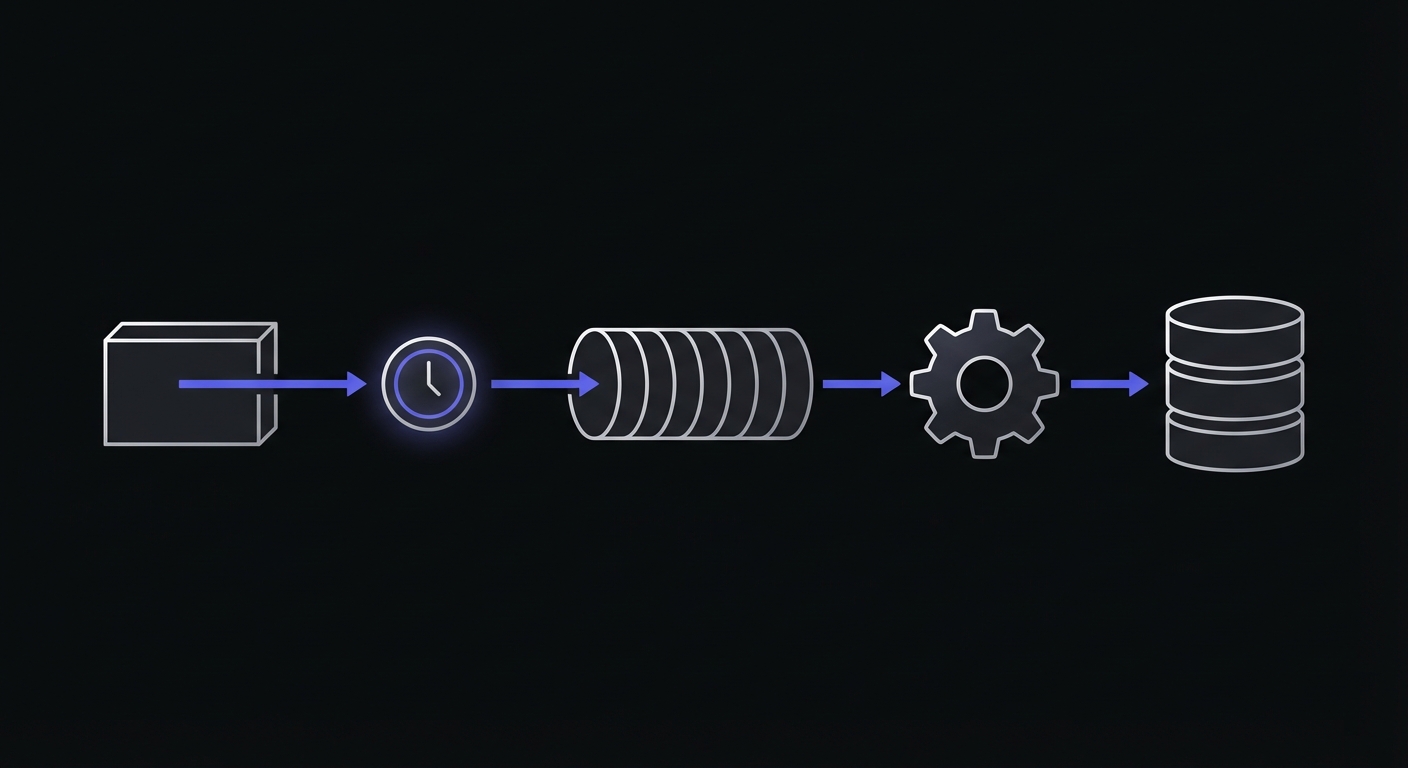
Management commands are the foundation of Django scheduled tasks. Here's how to create one:
# myapp/management/commands/process_orders.py
from django.core.management.base import BaseCommand
from myapp.services import OrderProcessor

class Command(BaseCommand):
    help = 'Process pending orders'

    def add_arguments(self, parser):
        parser.add_argument(
            '--dry-run',
            action='store_true',
            help='Show what would be processed without making changes',
        )

    def handle(self, *args, **options):
        processor = OrderProcessor()

        if options['dry_run']:
            pending = processor.get_pending_count()
            self.stdout.write(f'Would process {pending} orders')
            return

        processed = processor.process_pending()
        self.stdout.write(
            self.style.SUCCESS(f'Processed {processed} orders')
        )
Run it manually to test:
python manage.py process_orders
python manage.py process_orders --dry-run
Adding Monitoring to Management Commands
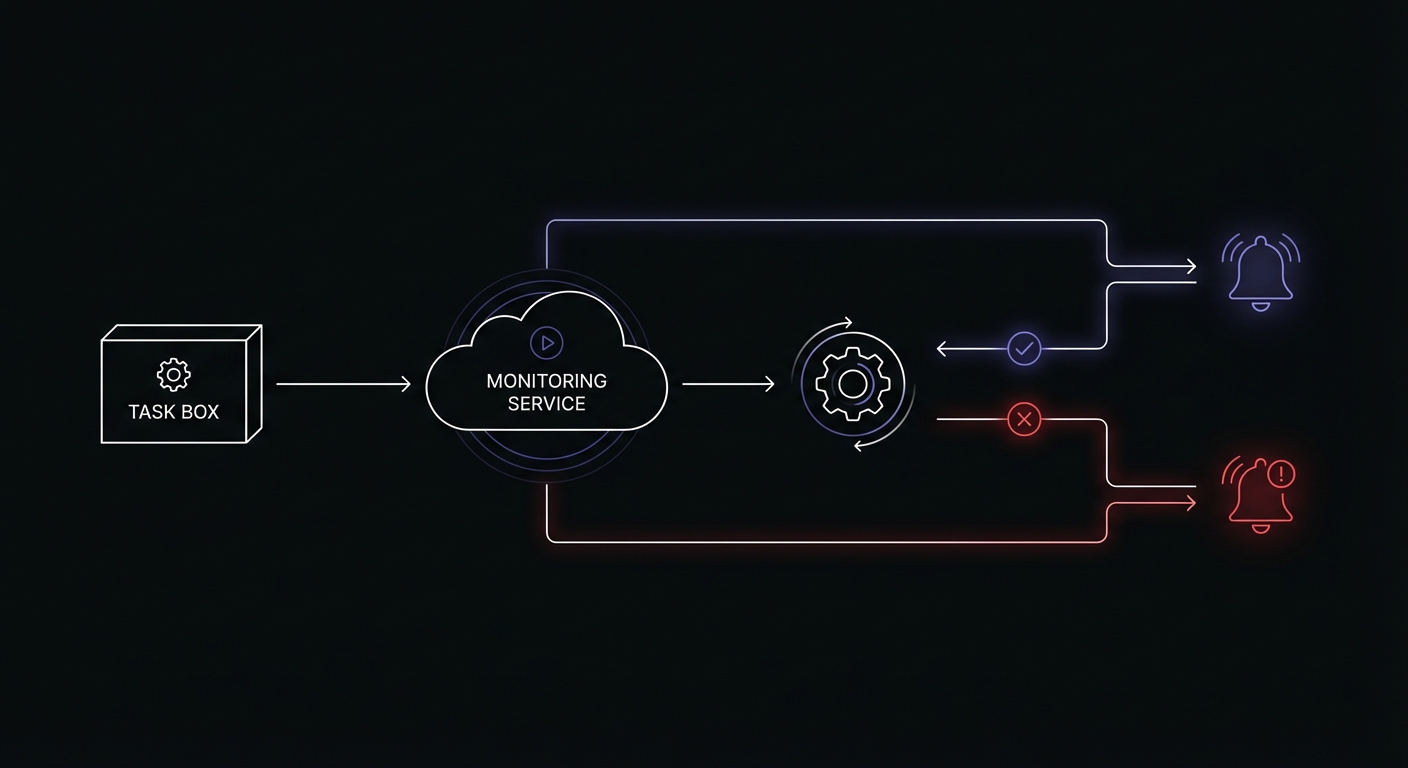
Let's add monitoring to track when commands run and whether they succeed.
Basic Monitoring Pattern
# myapp/management/commands/process_orders.py
import requests
from django.core.management.base import BaseCommand
from django.conf import settings

class Command(BaseCommand):
    help = 'Process pending orders'

    def handle(self, *args, **options):
        monitor_url = getattr(settings, 'CRON_MONITORS', {}).get('process_orders')

        # Signal start
        self.ping(monitor_url, '/start')

        try:
            processed = self.process_orders()
            self.stdout.write(
                self.style.SUCCESS(f'Processed {processed} orders')
            )

            # Signal success
            self.ping(monitor_url)

        except Exception as e:
            self.stderr.write(
                self.style.ERROR(f'Failed: {e}')
            )

            # Signal failure
            self.ping(monitor_url, '/fail', error=str(e))
            raise

    def process_orders(self):
        # Your order processing logic
        from myapp.services import OrderProcessor
        return OrderProcessor().process_pending()

    def ping(self, base_url, endpoint='', error=None):
        if not base_url:
            return

        url = f'{base_url}{endpoint}'
        params = {}
        if error:
            params['error'] = error[:100]

        try:
            requests.get(url, params=params, timeout=10)
        except requests.RequestException as e:
            self.stderr.write(f'Monitor ping failed: {e}')
Reusable Base Command Class
Instead of repeating monitoring code in every command, create a reusable base class.
# myapp/management/base.py
import requests
from django.core.management.base import BaseCommand
from django.conf import settings

class MonitoredCommand(BaseCommand):
    """
    Base class for management commands with built-in monitoring.

    Usage:
        class Command(MonitoredCommand):
            monitor_key = 'my_job_name'

            def execute(self, *args, **options):
                # Your command logic here
                pass
    """

    monitor_key = None  # Override in subclass

    def handle(self, *args, **options):
        url = self.get_monitor_url()

        self.signal_start(url)

        try:
            result = self.execute(*args, **options)
            self.signal_success(url)
            return result

        except Exception as e:
            self.signal_failure(url, str(e))
            raise

    def execute(self, *args, **options):
        """Override this method with your command logic."""
        raise NotImplementedError(
            'Subclasses must implement execute()'
        )

    def get_monitor_url(self):
        if not self.monitor_key:
            return None
        monitors = getattr(settings, 'CRON_MONITORS', {})
        return monitors.get(self.monitor_key)

    def signal_start(self, url):
        self.ping(url, '/start')

    def signal_success(self, url):
        self.ping(url)

    def signal_failure(self, url, error):
        self.ping(url, '/fail', error=error)

    def ping(self, base_url, endpoint='', error=None):
        if not base_url:
            return

        url = f'{base_url}{endpoint}'
        params = {}
        if error:
            params['error'] = error[:100]

        try:
            requests.get(url, params=params, timeout=10)
        except requests.RequestException as e:
            self.stderr.write(
                self.style.WARNING(f'Monitor ping failed: {e}')
            )
Using the base class:
# myapp/management/commands/process_orders.py
from myapp.management.base import MonitoredCommand
from myapp.services import OrderProcessor

class Command(MonitoredCommand):
    help = 'Process pending orders'
    monitor_key = 'process_orders'

    def add_arguments(self, parser):
        parser.add_argument(
            '--limit',
            type=int,
            default=100,
            help='Maximum orders to process',
        )

    def execute(self, *args, **options):
        processor = OrderProcessor()
        processed = processor.process_pending(limit=options['limit'])

        self.stdout.write(
            self.style.SUCCESS(f'Processed {processed} orders')
        )

        return processed
Now every command that extends MonitoredCommand automatically gets monitoring with just one line of configuration.
Monitoring Celery Beat with Django
When using Celery Beat for scheduling, monitor the task execution, not the scheduling.
# myapp/tasks.py
from celery import shared_task
import requests
from django.conf import settings

def get_monitor_url(key):
    return getattr(settings, 'CRON_MONITORS', {}).get(key)

def ping(url, endpoint='', error=None):
    if not url:
        return
    full_url = f'{url}{endpoint}'
    params = {'error': error[:100]} if error else {}
    try:
        requests.get(full_url, params=params, timeout=10)
    except requests.RequestException:
        pass

@shared_task
def daily_cleanup():
    monitor_url = get_monitor_url('daily_cleanup')
    ping(monitor_url, '/start')

    try:
        # Cleanup logic
        from django.contrib.sessions.models import Session
        from django.utils import timezone

        deleted, _ = Session.objects.filter(
            expire_date__lt=timezone.now()
        ).delete()

        ping(monitor_url)
        return f'Deleted {deleted} expired sessions'

    except Exception as e:
        ping(monitor_url, '/fail', error=str(e))
        raise

@shared_task
def process_subscriptions():
    monitor_url = get_monitor_url('process_subscriptions')
    ping(monitor_url, '/start')

    try:
        from myapp.services import SubscriptionProcessor
        processor = SubscriptionProcessor()
        processed = processor.process_renewals()

        ping(monitor_url)
        return f'Processed {processed} renewals'

    except Exception as e:
        ping(monitor_url, '/fail', error=str(e))
        raise
Celery Beat configuration:
# settings.py
from celery.schedules import crontab

CELERY_BEAT_SCHEDULE = {
    'daily-cleanup': {
        'task': 'myapp.tasks.daily_cleanup',
        'schedule': crontab(hour=3, minute=0),
    },
    'process-subscriptions': {
        'task': 'myapp.tasks.process_subscriptions',
        'schedule': crontab(hour=0, minute=0),
    },
}
Environment-Specific Configuration
Different environments need different monitoring URLs. Configure them through environment variables.
# settings.py
import os

CRON_MONITORS = {
    'process_orders': os.environ.get('MONITOR_PROCESS_ORDERS'),
    'daily_cleanup': os.environ.get('MONITOR_DAILY_CLEANUP'),
    'send_notifications': os.environ.get('MONITOR_SEND_NOTIFICATIONS'),
    'process_subscriptions': os.environ.get('MONITOR_PROCESS_SUBSCRIPTIONS'),
}
Environment variables (.env):
# Production
MONITOR_PROCESS_ORDERS=https://ping.example.com/prod-orders-abc123
MONITOR_DAILY_CLEANUP=https://ping.example.com/prod-cleanup-def456
MONITOR_SEND_NOTIFICATIONS=https://ping.example.com/prod-notify-ghi789

# Staging (different URLs)
MONITOR_PROCESS_ORDERS=https://ping.example.com/staging-orders-xyz789
This approach keeps monitoring URLs out of your codebase and makes it easy to use different monitors per environment.
Common Django Scheduled Tasks
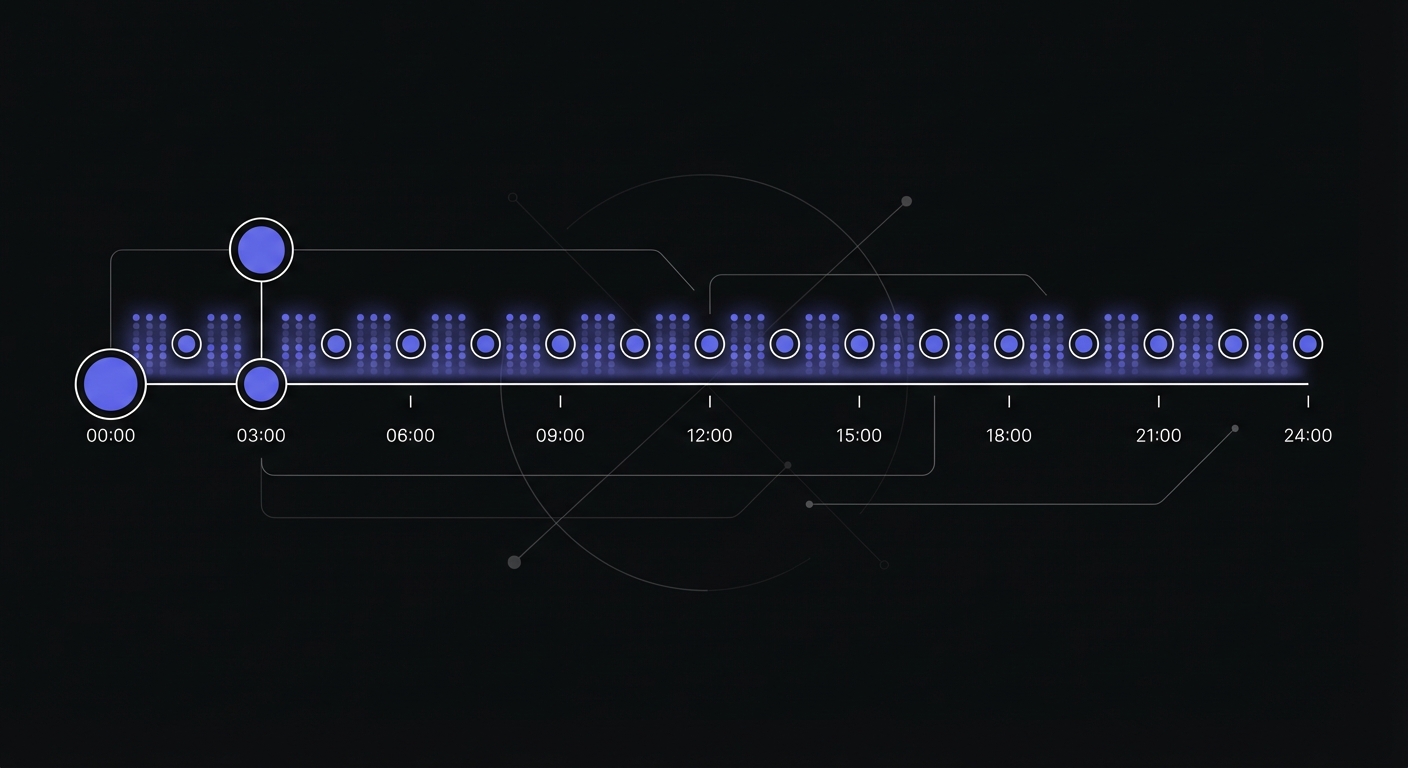
Here are typical scheduled tasks in Django applications with their monitoring setup.
Session Cleanup
# myapp/management/commands/cleanup_sessions.py
from myapp.management.base import MonitoredCommand
from django.contrib.sessions.models import Session
from django.utils import timezone

class Command(MonitoredCommand):
    help = 'Delete expired sessions'
    monitor_key = 'cleanup_sessions'

    def execute(self, *args, **options):
        deleted, _ = Session.objects.filter(
            expire_date__lt=timezone.now()
        ).delete()

        self.stdout.write(
            self.style.SUCCESS(f'Deleted {deleted} expired sessions')
        )
Email Queue Processing
# myapp/management/commands/send_queued_emails.py
from myapp.management.base import MonitoredCommand
from myapp.models import QueuedEmail

class Command(MonitoredCommand):
    help = 'Send queued emails'
    monitor_key = 'send_queued_emails'

    def execute(self, *args, **options):
        sent = 0
        for email in QueuedEmail.objects.filter(sent=False)[:100]:
            email.send()
            sent += 1

        self.stdout.write(
            self.style.SUCCESS(f'Sent {sent} emails')
        )
Search Index Updates
# myapp/management/commands/update_search_index.py
from myapp.management.base import MonitoredCommand

class Command(MonitoredCommand):
    help = 'Update search index with recent changes'
    monitor_key = 'update_search_index'

    def execute(self, *args, **options):
        from myapp.search import SearchIndexer
        indexer = SearchIndexer()

        updated = indexer.index_recent_changes()

        self.stdout.write(
            self.style.SUCCESS(f'Indexed {updated} documents')
        )
Cache Warming
# myapp/management/commands/warm_cache.py
from myapp.management.base import MonitoredCommand
from django.core.cache import cache

class Command(MonitoredCommand):
    help = 'Pre-populate cache with frequently accessed data'
    monitor_key = 'warm_cache'

    def execute(self, *args, **options):
        from myapp.services import CacheWarmer
        warmer = CacheWarmer()

        warmed = warmer.warm_popular_pages()

        self.stdout.write(
            self.style.SUCCESS(f'Warmed {warmed} cache entries')
        )
Report Generation
# myapp/management/commands/generate_daily_report.py
from myapp.management.base import MonitoredCommand
from datetime import date

class Command(MonitoredCommand):
    help = 'Generate and email daily report'
    monitor_key = 'generate_daily_report'

    def execute(self, *args, **options):
        from myapp.reports import DailyReportGenerator
        from myapp.email import send_report

        generator = DailyReportGenerator()
        report = generator.generate(date.today())
        send_report(report)

        self.stdout.write(
            self.style.SUCCESS('Daily report generated and sent')
        )
Crontab Setup for Django
Here's a complete crontab example for a Django application.
# Edit with: crontab -e

# Environment
SHELL=/bin/bash
PATH=/usr/local/bin:/usr/bin:/bin
DJANGO_SETTINGS_MODULE=myproject.settings.production

# Django scheduled tasks
# Format: minute hour day month weekday command

# Every hour: process pending orders
0 * * * * cd /app && /app/venv/bin/python manage.py process_orders >> /var/log/cron/process_orders.log 2>&1

# Daily at midnight: cleanup sessions
0 0 * * * cd /app && /app/venv/bin/python manage.py clearsessions >> /var/log/cron/clearsessions.log 2>&1

# Daily at 1 AM: generate reports
0 1 * * * cd /app && /app/venv/bin/python manage.py generate_daily_report >> /var/log/cron/daily_report.log 2>&1

# Every 5 minutes: send queued emails
*/5 * * * * cd /app && /app/venv/bin/python manage.py send_queued_emails >> /var/log/cron/emails.log 2>&1

# Daily at 3 AM: update search index
0 3 * * * cd /app && /app/venv/bin/python manage.py update_search_index >> /var/log/cron/search_index.log 2>&1

# Weekly on Sunday at 4 AM: full database backup
0 4 * * 0 cd /app && /app/venv/bin/python manage.py backup_database >> /var/log/cron/backup.log 2>&1
Key points:
- Always use absolute paths for Python interpreter
- Set environment variables at the top
- Redirect output to log files for debugging
- Use
cd /app &&to ensure correct working directory
Preventing Task Overlap
Long-running tasks can overlap if a new execution starts before the previous one finishes. This leads to duplicate processing, database locks, and inconsistent state.
Database-Level Locking
Use Django's select_for_update() to prevent concurrent processing:
from django.db import transaction
from myapp.management.base import MonitoredCommand
from myapp.models import Order

class Command(MonitoredCommand):
    help = 'Process pending orders with locking'
    monitor_key = 'process_orders'

    def execute(self, *args, **options):
        with transaction.atomic():
            # Lock rows being processed
            orders = Order.objects.select_for_update(
                skip_locked=True
            ).filter(status='pending')[:100]

            for order in orders:
                order.process()
The skip_locked=True parameter allows concurrent workers to process different orders without blocking.
Redis Distributed Lock
For Celery tasks, use a distributed lock:
from celery import shared_task
from django.core.cache import cache

@shared_task
def daily_report():
    lock_id = 'daily_report_lock'

    # Try to acquire lock (expires after 1 hour)
    if not cache.add(lock_id, 'locked', timeout=3600):
        return 'Task already running'

    try:
        # Your task logic here
        generate_report()
    finally:
        cache.delete(lock_id)
Celery Task Options
Celery provides built-in options for task execution control:
@shared_task(
    bind=True,
    max_retries=3,
    soft_time_limit=300,  # 5 minute warning
    time_limit=360,       # 6 minute hard limit
)
def long_running_task(self):
    try:
        process_data()
    except SoftTimeLimitExceeded:
        # Clean up and re-queue remaining work
        self.retry(countdown=60)
Production Monitoring Tools
Beyond custom webhook monitoring, several tools provide Django and Celery integrations.
Flower for Celery
Flower is an open-source web UI for monitoring Celery clusters:
pip install flower
celery -A myproject flower --port=5555
Flower shows real-time worker status, task history, and queue lengths. It's useful for debugging but doesn't provide alerting when tasks fail.
Django Health Check
The django-health-check package provides endpoint-based health monitoring:
# settings.py
INSTALLED_APPS = [
    'health_check',
    'health_check.db',
    'health_check.cache',
    'health_check.contrib.celery',       # Check task execution
    'health_check.contrib.celery_ping',  # Check worker availability
]

# urls.py
urlpatterns = [
    path('health/', include('health_check.urls')),
]
The /health/ endpoint returns HTTP 200 when all checks pass, 500 when something fails. Load balancers and orchestrators like Kubernetes use this for automated restarts.
External Monitoring Services
Several monitoring platforms offer Celery auto-discovery:
Cronitor detects Celery Beat tasks automatically:
import cronitor.celery
cronitor.celery.initialize(app, api_key="your_api_key")
Sentry Crons monitors periodic task execution:
import sentry_sdk
from sentry_sdk.integrations.celery import CeleryIntegration

sentry_sdk.init(
    integrations=[CeleryIntegration(monitor_beat_tasks=True)]
)
These services track execution history, alert on failures, and detect when tasks stop running entirely.
Testing Your Monitored Commands
Before deploying, verify your monitoring works:
# Run the command and check the monitoring dashboard
python manage.py process_orders

# Test failure handling by introducing an error
python manage.py process_orders --force-error  # If you've added this flag

# Check that pings arrive with correct timing
# Your monitoring dashboard should show:
# - Start signal received
# - Success/failure signal received
# - Duration calculated correctly
Conclusion
Django scheduled tasks are essential for production applications but dangerously silent when they fail. By creating a reusable MonitoredCommand base class and configuring monitor URLs through environment variables, you can add comprehensive monitoring with minimal code changes.
Start with your most critical commands: billing, notifications, and data synchronization. Once those are monitored, expand coverage to maintenance tasks like session cleanup and cache warming. The investment of a few hours setting up monitoring will save countless debugging sessions when jobs fail silently.
For more Python scheduling patterns beyond Django, see our Python cron job monitoring guide which covers APScheduler, standalone scripts, and general Celery patterns. If you are evaluating monitoring tools, our cron monitoring pricing comparison can help you choose.
Ready to monitor your Django scheduled tasks? Cron Crew integrates seamlessly with Django management commands and Celery tasks. Create a monitor, set your environment variable, and know immediately when your jobs fail.