PHP Cron Job Monitoring: A Complete Guide
PHP remains widely used for web development and scheduled tasks are core to most apps. This guide covers practical monitoring approaches with code examples.

PHP Cron Job Monitoring: A Complete Guide
PHP remains one of the most widely used languages for web development, and scheduled tasks are a core part of most PHP applications. Whether you are running vanilla PHP scripts, Symfony console commands, or custom scheduling implementations, knowing that your jobs actually run is critical. This guide covers practical approaches to monitoring PHP cron jobs with code examples you can adapt to your projects. For foundational concepts, see our complete guide to cron job monitoring.
PHP Scheduling Patterns
PHP applications typically handle scheduled tasks in one of several ways:
System cron with PHP scripts: The most common pattern. You write a PHP script and schedule it with system cron:
0 * * * * /usr/bin/php /var/www/app/scripts/hourly-task.phpSymfony Console commands: Symfony applications use the Console component to create commands that can be scheduled:
0 6 * * * /usr/bin/php /var/www/app/bin/console app:daily-reportSymfony Scheduler component: For Symfony 6.3+, the native Scheduler component provides in-application task management with cron expressions, periodic triggers, and event-based monitoring hooks (PreRunEvent, PostRunEvent, FailureEvent).
Custom scheduling implementations: Some applications implement their own task scheduling, running a single entry point that dispatches to different jobs based on configuration.
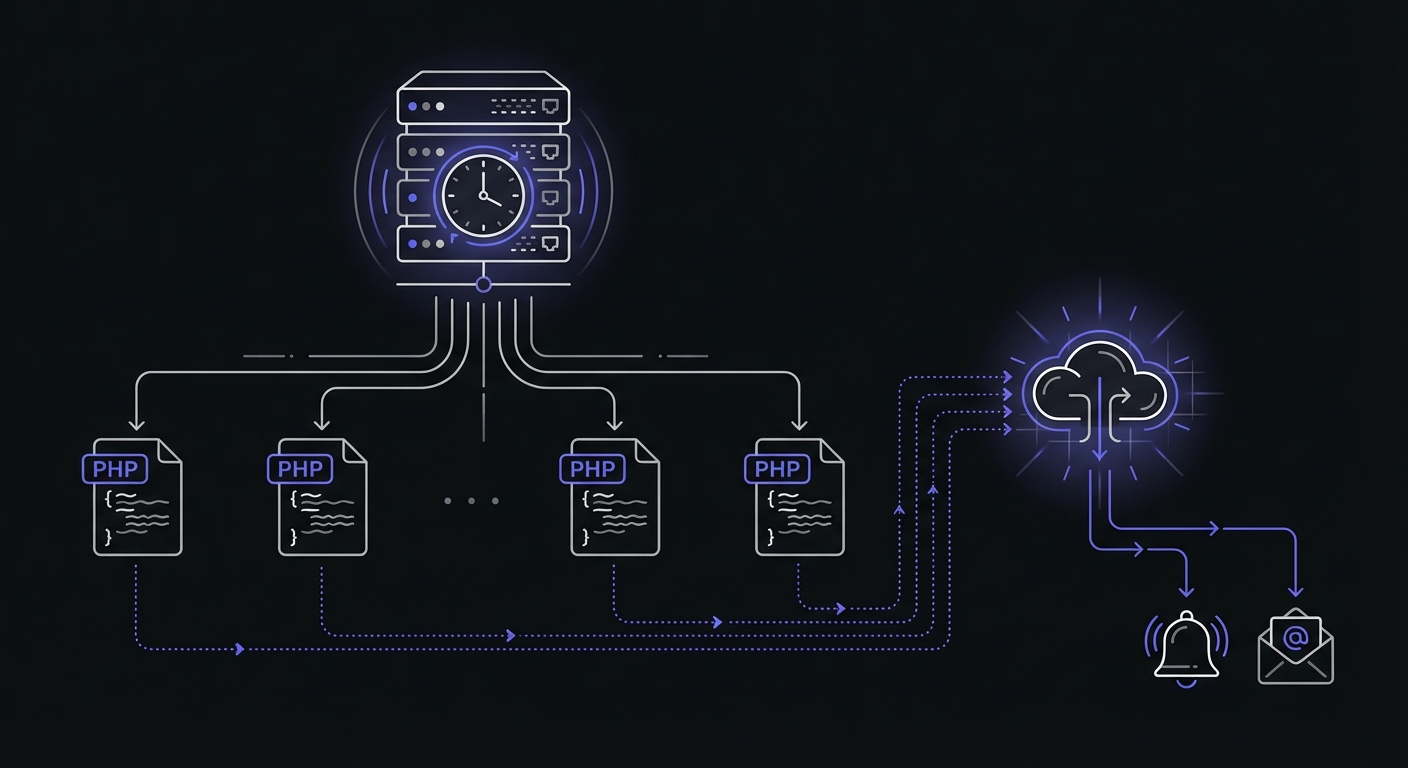
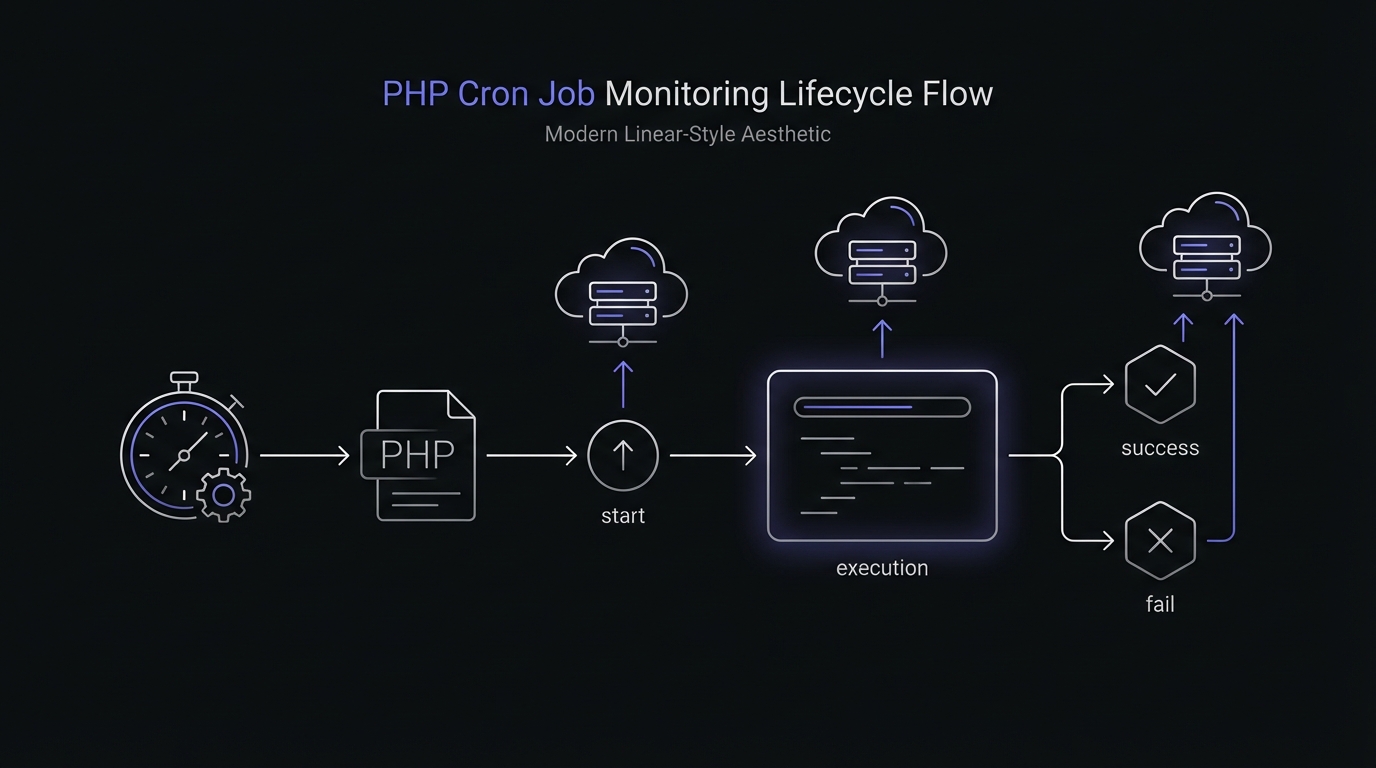
Regardless of the pattern, the monitoring approach remains similar: signal when the job starts, signal when it completes (or fails), and let an external service track execution.
Basic PHP Script Monitoring
The simplest approach uses file_get_contents to ping your monitoring endpoint. This works in any PHP environment without additional dependencies.
<?php

$monitorUrl = getenv('MONITOR_URL') ?: 'https://ping.example.com/daily-task';

// Signal start
file_get_contents("{$monitorUrl}/start");

try {
    // Your job logic
    processData();
    cleanupOldRecords();

    // Signal success
    file_get_contents($monitorUrl);
} catch (Exception $e) {
    // Signal failure
    file_get_contents("{$monitorUrl}/fail");

    // Log the error
    error_log("Job failed: " . $e->getMessage());

    // Re-throw to ensure non-zero exit code
    throw $e;
}
This pattern provides three pieces of information to your monitoring service:
- The job started (via
/startendpoint) - The job completed successfully (via base URL)
- The job failed (via
/failendpoint)
Your monitoring service uses this information to detect missed runs, failures, and measure job duration.
Using cURL for Reliability
The file_get_contents function works but has limitations. It lacks timeout control and can hang if the monitoring service is slow to respond. The cURL extension provides better control:
<?php

function pingMonitor(string $url): void
{
    $ch = curl_init($url);
    curl_setopt_array($ch, [
        CURLOPT_RETURNTRANSFER => true,
        CURLOPT_TIMEOUT => 10,
        CURLOPT_CONNECTTIMEOUT => 5,
        CURLOPT_FOLLOWLOCATION => true,
        CURLOPT_MAXREDIRS => 3,
    ]);

    $result = curl_exec($ch);
    $httpCode = curl_getinfo($ch, CURLINFO_HTTP_CODE);

    if (curl_errno($ch) || $httpCode >= 400) {
        error_log("Monitor ping failed: " . curl_error($ch));
    }

    curl_close($ch);
}

$monitorUrl = getenv('MONITOR_URL');

pingMonitor("{$monitorUrl}/start");

try {
    runMyJob();
    pingMonitor($monitorUrl);
} catch (Exception $e) {
    pingMonitor("{$monitorUrl}/fail");
    throw $e;
}
The timeout settings ensure that monitoring issues do not cause your job to hang. If the monitoring service is unavailable, the ping fails quickly and your job continues.
Guzzle HTTP Client Approach
For applications already using Guzzle, leverage the HTTP client you have:
<?php

use GuzzleHttp\Client;
use GuzzleHttp\Exception\GuzzleException;

$client = new Client([
    'timeout' => 10,
    'connect_timeout' => 5,
]);

$monitorUrl = getenv('MONITOR_URL');

try {
    $client->get("{$monitorUrl}/start");
} catch (GuzzleException $e) {
    error_log("Monitor start ping failed: " . $e->getMessage());
}

try {
    processData();

    try {
        $client->get($monitorUrl);
    } catch (GuzzleException $e) {
        error_log("Monitor success ping failed: " . $e->getMessage());
    }
} catch (Exception $e) {
    try {
        $client->get("{$monitorUrl}/fail");
    } catch (GuzzleException $e) {
        error_log("Monitor fail ping failed: " . $e->getMessage());
    }
    throw $e;
}
Notice the nested try-catch blocks for monitoring calls. This ensures that monitoring failures do not interfere with your job execution or error reporting.
Symfony Console Command Monitoring
Symfony Console commands benefit from structured error handling and dependency injection. Here is a monitored command implementation:
<?php

namespace App\Command;

use Symfony\Component\Console\Attribute\AsCommand;
use Symfony\Component\Console\Command\Command;
use Symfony\Component\Console\Input\InputInterface;
use Symfony\Component\Console\Output\OutputInterface;
use Symfony\Contracts\HttpClient\HttpClientInterface;
use Psr\Log\LoggerInterface;

#[AsCommand(name: 'app:daily-report')]
class DailyReportCommand extends Command
{
    public function __construct(
        private HttpClientInterface $httpClient,
        private LoggerInterface $logger,
        private string $monitorUrl,
    ) {
        parent::__construct();
    }

    protected function execute(InputInterface $input, OutputInterface $output): int
    {
        $this->pingMonitor("{$this->monitorUrl}/start");

        try {
            $this->generateReport($output);
            $this->pingMonitor($this->monitorUrl);
            return Command::SUCCESS;
        } catch (\Exception $e) {
            $this->pingMonitor("{$this->monitorUrl}/fail");
            $this->logger->error('Daily report failed', ['exception' => $e]);
            throw $e;
        }
    }

    private function pingMonitor(string $url): void
    {
        try {
            $this->httpClient->request('GET', $url, ['timeout' => 10]);
        } catch (\Exception $e) {
            $this->logger->warning('Monitor ping failed', [
                'url' => $url,
                'error' => $e->getMessage(),
            ]);
        }
    }

    private function generateReport(OutputInterface $output): void
    {
        // Report generation logic
        $output->writeln('Generating report...');
    }
}
Configure the monitor URL in your services.yaml:
services:
    App\Command\DailyReportCommand:
        arguments:
            $monitorUrl: '%env(DAILY_REPORT_MONITOR_URL)%'
Reusable Monitoring Trait
If you have multiple scripts or commands that need monitoring, create a reusable trait:
<?php

trait Monitorable
{
    protected function withMonitoring(string $url, callable $job): mixed
    {
        $this->pingMonitor("{$url}/start");

        try {
            $result = $job();
            $this->pingMonitor($url);
            return $result;
        } catch (\Exception $e) {
            $this->pingMonitor("{$url}/fail");
            throw $e;
        }
    }

    protected function pingMonitor(string $url): void
    {
        $ch = curl_init($url);
        curl_setopt_array($ch, [
            CURLOPT_RETURNTRANSFER => true,
            CURLOPT_TIMEOUT => 10,
            CURLOPT_CONNECTTIMEOUT => 5,
        ]);
        curl_exec($ch);

        if (curl_errno($ch)) {
            error_log("Monitor ping failed for {$url}: " . curl_error($ch));
        }

        curl_close($ch);
    }
}
Use the trait in your job classes:
<?php

class DataImportJob
{
    use Monitorable;

    public function run(): void
    {
        $this->withMonitoring(getenv('IMPORT_MONITOR_URL'), function () {
            $this->importData();
            $this->validateResults();
        });
    }

    private function importData(): void
    {
        // Import logic
    }

    private function validateResults(): void
    {
        // Validation logic
    }
}
Sending Execution Metadata
Basic success/failure pings tell you whether a job ran, but many monitoring services accept additional metadata. Sending memory usage, execution duration, and exit codes helps identify performance degradation before jobs start failing.
<?php

function pingWithMetadata(string $url, array $metadata = []): void
{
    $ch = curl_init($url);

    $postData = http_build_query($metadata);

    curl_setopt_array($ch, [
        CURLOPT_RETURNTRANSFER => true,
        CURLOPT_TIMEOUT => 10,
        CURLOPT_POST => true,
        CURLOPT_POSTFIELDS => $postData,
    ]);

    curl_exec($ch);
    curl_close($ch);
}

$startTime = microtime(true);
$monitorUrl = getenv('MONITOR_URL');

pingWithMetadata("{$monitorUrl}/start");

try {
    processData();

    $duration = round(microtime(true) - $startTime, 2);
    $memoryPeak = memory_get_peak_usage(true);

    pingWithMetadata($monitorUrl, [
        'duration' => $duration,
        'memory' => $memoryPeak,
        'exit_code' => 0,
    ]);
} catch (Exception $e) {
    $duration = round(microtime(true) - $startTime, 2);

    pingWithMetadata("{$monitorUrl}/fail", [
        'duration' => $duration,
        'error' => substr($e->getMessage(), 0, 255),
        'exit_code' => 1,
    ]);

    throw $e;
}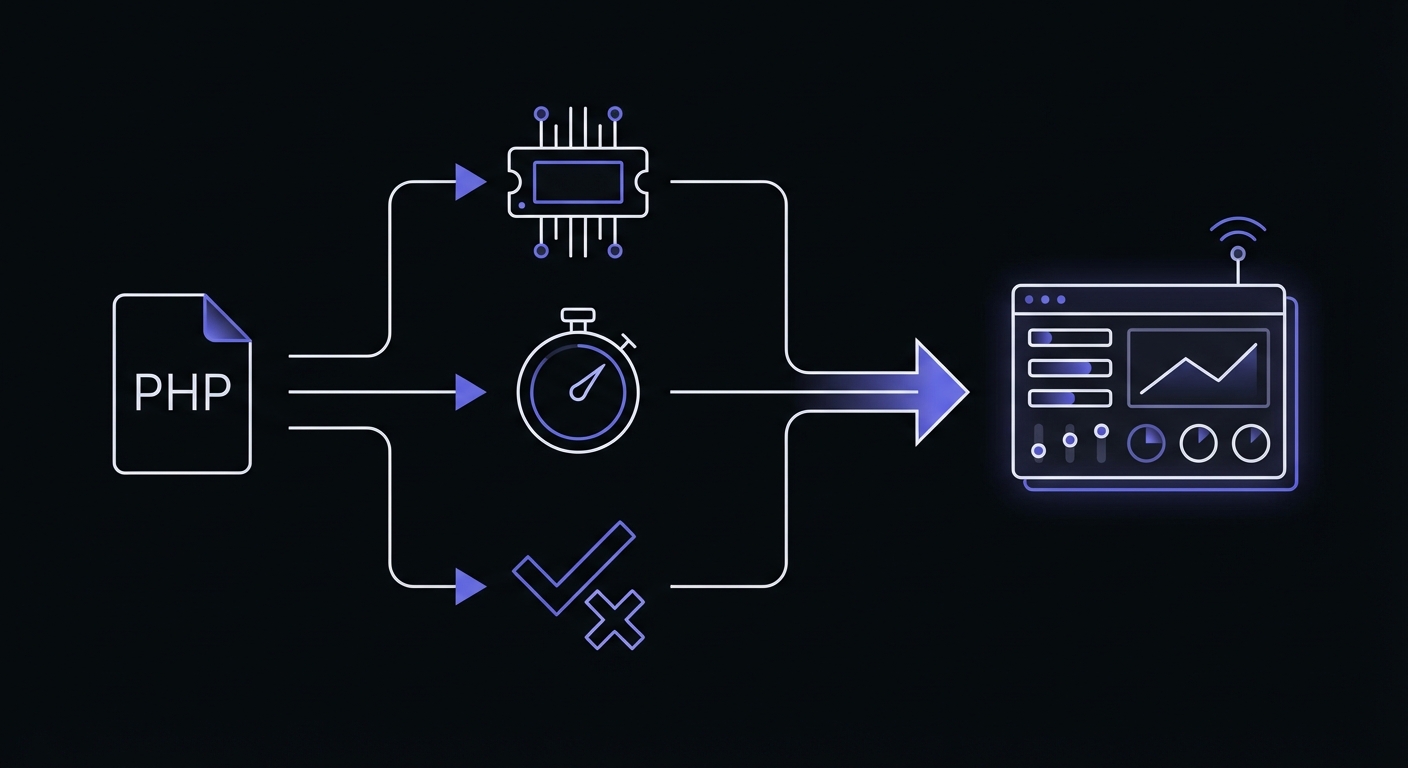
Track these metrics to catch problems early:
- memory_get_peak_usage(true): Returns bytes allocated by the system. Watch for steady increases indicating memory leaks.
- Execution duration: Growing duration often signals data growth or degrading query performance.
- Exit codes: PHP uses 0 for success, 1-254 for errors. Exit code 255 is reserved by PHP itself.
Exit Code Best Practices
PHP CLI scripts should use explicit exit codes to communicate success or failure to the calling process (cron, supervisord, etc.).
<?php

// At the end of successful execution
exit(0);

// For handled errors
exit(1);

// For specific error categories
const EXIT_SUCCESS = 0;
const EXIT_GENERAL_ERROR = 1;
const EXIT_CONFIG_ERROR = 2;
const EXIT_DATABASE_ERROR = 3;

try {
    if (!file_exists('config.php')) {
        error_log('Configuration file missing');
        exit(EXIT_CONFIG_ERROR);
    }

    $pdo = connectToDatabase();
    processRecords($pdo);

    exit(EXIT_SUCCESS);
} catch (PDOException $e) {
    error_log("Database error: " . $e->getMessage());
    exit(EXIT_DATABASE_ERROR);
} catch (Exception $e) {
    error_log("General error: " . $e->getMessage());
    exit(EXIT_GENERAL_ERROR);
}
Exit code conventions:
- 0: Success
- 1: General error
- 2: Misuse of command/configuration error
- 126: Command not executable
- 127: Command not found
- 255: Reserved by PHP (do not use)
Network Resilience
Monitoring pings can fail due to network issues. Add retry logic to prevent false alerts from transient failures.
<?php

function pingWithRetry(string $url, int $maxRetries = 3, int $delayMs = 1000): bool
{
    $attempt = 0;

    while ($attempt < $maxRetries) {
        $ch = curl_init($url);
        curl_setopt_array($ch, [
            CURLOPT_RETURNTRANSFER => true,
            CURLOPT_TIMEOUT => 10,
            CURLOPT_CONNECTTIMEOUT => 5,
        ]);

        $result = curl_exec($ch);
        $httpCode = curl_getinfo($ch, CURLINFO_HTTP_CODE);
        $error = curl_errno($ch);
        curl_close($ch);

        if (!$error && $httpCode >= 200 && $httpCode < 300) {
            return true;
        }

        $attempt++;
        if ($attempt < $maxRetries) {
            usleep($delayMs * 1000);
        }
    }

    error_log("Monitor ping failed after {$maxRetries} attempts: {$url}");
    return false;
}
For shell-based monitoring, curl provides built-in retry support:
curl -fsS --retry 3 --retry-delay 5 --max-time 10 "https://ping.example.com/job-id"Security Considerations
PHP cron scripts should only run from the command line, not from web requests.
<?php

// Reject web requests
if (php_sapi_name() !== 'cli') {
    http_response_code(403);
    exit('CLI access only');
}

// Alternative using PHP_SAPI constant
if (PHP_SAPI !== 'cli') {
    die('This script must be run from the command line');
}
Additional security practices:
Store scripts outside the web root: Place cron scripts in a directory not accessible via HTTP (e.g., /var/app/scripts/ instead of /var/www/html/scripts/).
Restrict file permissions: Cron scripts should be readable and executable only by the user running cron:
chmod 700 /var/app/scripts/daily-task.php
chown www-data:www-data /var/app/scripts/daily-task.php
Validate environment: Check that required environment variables and dependencies exist before executing:
<?php

$required = ['DATABASE_URL', 'MONITOR_URL', 'APP_ENV'];

foreach ($required as $var) {
    if (!getenv($var)) {
        error_log("Missing required environment variable: {$var}");
        exit(2);
    }
}
Best Practices
Handle network failures gracefully: Monitoring should enhance your jobs, not break them. Always catch exceptions from monitoring calls and log them locally.
Set appropriate timeouts: Use short timeouts (5-10 seconds) for monitoring HTTP calls. A slow monitoring service should not delay your job completion.
Use environment variables for URLs: Store monitoring URLs in environment variables or configuration files. This keeps sensitive URLs out of code and allows different URLs per environment.
$monitorUrl = getenv('CRON_MONITOR_URL');
if (!$monitorUrl) {
    error_log('CRON_MONITOR_URL not set, monitoring disabled');
    // Continue without monitoring
}
Log monitoring failures locally: If a monitoring ping fails, write to your application logs. This creates a backup record even if external monitoring is unavailable.
Consider async pings for non-critical monitoring: If you do not need to wait for the monitoring response, use non-blocking requests. However, ensure the failure ping has time to complete before your script exits.
Common PHP Cron Job Patterns
Different types of jobs benefit from monitoring in different ways:
Email queue processing: Monitor each queue processor run. Track duration to detect queue backup (longer runs mean more emails waiting).
Report generation: Monitor for completion and track duration. Growing duration often indicates data growth or query performance issues.
Data imports and exports: These jobs often interact with external systems and are prone to failures. Monitor every run.
Cache warming: Monitor to ensure your cache stays fresh. A failed cache warm job can cause performance issues across your application.
Database cleanup: Maintenance jobs that remove old records or optimize tables should be monitored to ensure they complete within maintenance windows.
Conclusion
Monitoring PHP cron jobs does not require complex infrastructure or expensive tools. With a few lines of code, you can gain visibility into whether your scheduled tasks run successfully.
Start with your most critical jobs: anything that impacts revenue, customer communication, or data integrity. Add the monitoring pattern, configure your endpoints, and set up alerts. As you build confidence in the approach, expand coverage to all scheduled tasks.
If you work with PHP frameworks, see our guides on Laravel task scheduling monitoring for Laravel's elegant scheduler integration or WordPress cron monitoring for WooCommerce stores. For help choosing a monitoring service, check out our cron monitoring pricing comparison.
Cron Crew makes PHP cron monitoring straightforward with simple HTTP endpoints and flexible alerting. Create monitors for your jobs and start receiving alerts when things go wrong. The peace of mind from knowing your scheduled tasks are running is worth the few minutes of setup time.