Monitoring Your SaaS Billing Cron Jobs
Billing jobs are the heartbeat of subscription businesses. When they fail, you have delayed revenue and confused customers. Here's how to monitor them.
Monitoring Your SaaS Billing Cron Jobs
Billing jobs are the heartbeat of any subscription business. When they fail, you do not just have a technical problem. You have delayed revenue, confused customers, and potentially compliance issues. Unlike other scheduled tasks that can tolerate occasional failures, billing jobs demand near-perfect reliability. This guide covers why billing job monitoring deserves special attention and how to implement it effectively.
Why Billing Jobs Are Your Most Critical Cron
Every scheduled task matters, but billing jobs sit in a category of their own:
Revenue is directly at stake: A billing job that does not run means charges that do not happen. If your subscription renewal job fails for a day, you have a day of lost revenue to recover. For a business processing thousands of renewals daily, this adds up quickly.
Customer experience suffers: Failed billing creates confusion. Customers receive duplicate charges when you recover, subscriptions lapse unexpectedly, and support tickets pile up. The trust you built erodes with each billing mishap. For a comprehensive overview of SaaS scheduled tasks, see our complete guide to SaaS cron monitoring.
Compliance implications: Depending on your industry, billing failures can create regulatory issues. Financial services, healthcare, and other regulated industries have strict requirements around billing accuracy and timing.
Recovery is complex: Unlike a failed report that you can regenerate, billing recovery requires careful handling. You need to identify what was missed, process it without duplicates, and potentially communicate with affected customers. The longer a failure goes unnoticed, the harder recovery becomes. Small businesses face even greater challenges here, as covered in our cron monitoring guide for small businesses.
The Real Cost of Billing Job Failures
The numbers paint a stark picture of what happens when billing jobs fail silently:
| Metric | Impact |
|---|---|
| Revenue lost to failed payments | 9% average across subscription businesses |
| Involuntary churn from payment failures | 20-40% of total churn |
| First-attempt payment failure rate | 7% of recurring charges |
| Users who never return after payment error | 62% |
| Subscriptions lapsed due to payment failures | 25% |
These failures compound quickly. A $50/month subscription represents $1,200 in expected lifetime value over an average 24-month customer relationship. When billing jobs fail, you lose not just the current charge but the entire future revenue stream.
For SaaS businesses, even modest improvements in billing reliability translate to significant revenue. A 5% improvement in payment recovery often exceeds the impact of a full percentage point of growth in new customer acquisition.
Common SaaS Billing Cron Jobs
Most subscription businesses run several billing-related scheduled tasks:
Subscription renewal processing: The core billing job that charges customers on their renewal date. This job queries for subscriptions due for renewal and processes payments.
Usage aggregation and metering: For usage-based billing, jobs that calculate consumption, aggregate metrics, and prepare billing data. These often run more frequently than renewals.
Invoice generation: Creating and sending invoices to customers, often on different schedules than payment processing.
Payment retry logic: When initial charges fail, retry jobs attempt collection according to your dunning schedule.
Dunning email sequences: Automated emails for failed payments, upcoming renewals, and payment method expiration.
Plan upgrades and downgrades: Processing scheduled plan changes that take effect at billing period boundaries.
Trial expiration processing: Converting trial users to paid subscriptions or handling trial-end actions.
Each of these jobs affects revenue and customer experience. Each deserves monitoring.
What Happens When Billing Jobs Fail
Understanding the consequences helps prioritize your monitoring investment:
Missed charges equal delayed revenue: If your renewal job does not run, customers are not charged. Even if you recover quickly, the delay affects cash flow and financial reporting.
Multiple retry failures cause involuntary churn: When your payment retry job stops running, failed payments are not retried. Customers who would have been recovered end up churning involuntarily.
Invoices not sent mean payments delayed: For customers who pay via invoice, a failed invoice generation job means they do not know what they owe. Payment delays cascade through your AR aging.
Usage not tracked creates revenue leakage: If your metering job fails, usage is not captured. You either undercharge customers or face disputes when you try to bill for untracked usage later.
Consider this scenario: Your subscription renewal job fails on a Friday evening. You do not notice until Monday when a customer complains that their subscription lapsed. By then, hundreds of renewals were missed. Recovery requires careful analysis, manual payment processing, and customer communication. What should have been automatic becomes days of work.
Monitoring Strategy for Billing
Billing jobs warrant more aggressive monitoring than typical scheduled tasks:
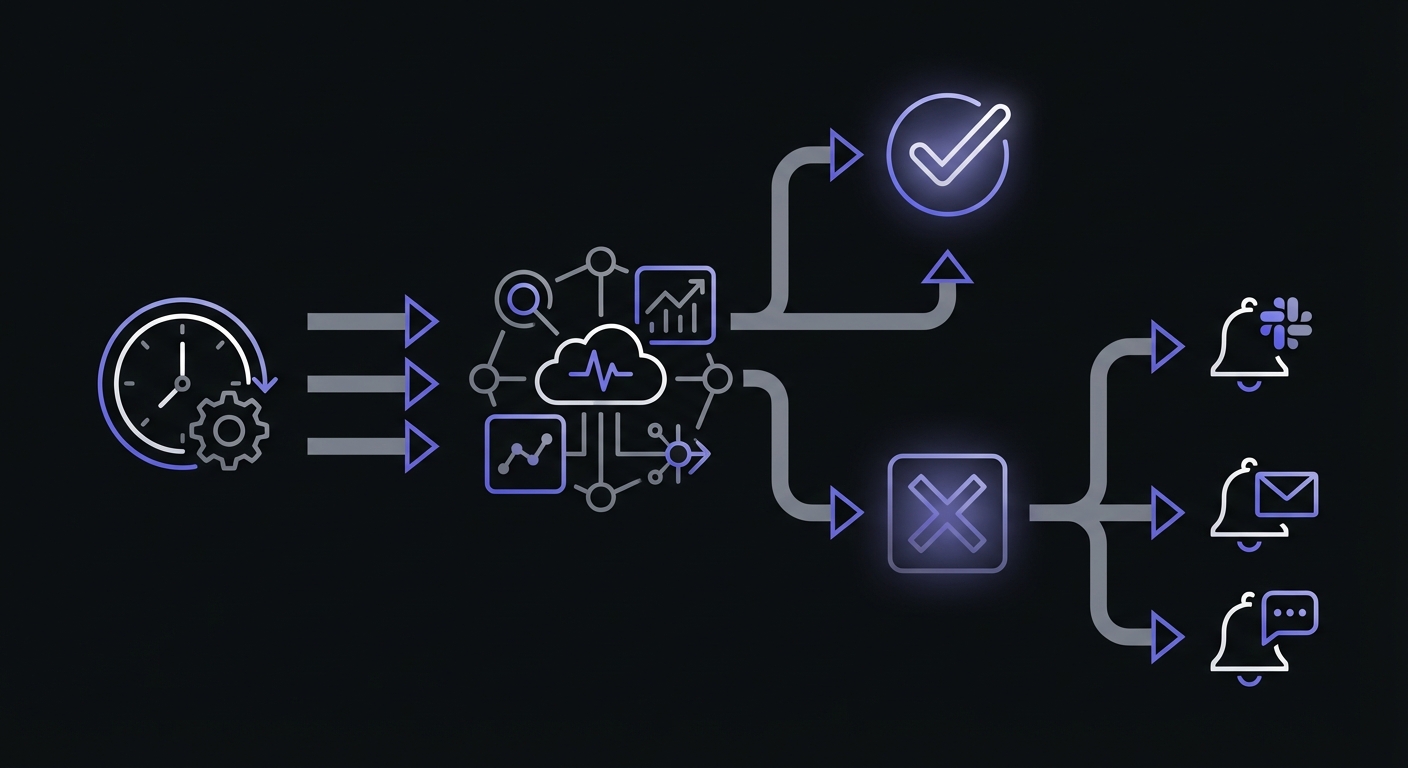
Monitor every billing job: No exceptions. Every job that touches billing, payments, or subscriptions needs external monitoring.
Use tight grace periods: Billing jobs should be fast. If your renewal job normally completes in 2 minutes, a 10-minute grace period is generous. Longer delays indicate problems.
Configure multiple alert channels: A single email notification is not enough. Route billing alerts to:
- Slack for immediate team visibility
- Email as a backup
- SMS for critical failures
- Phone calls for extended outages
Track duration: A billing job that suddenly takes 10x longer than usual indicates a problem. Maybe the payment provider is slow, or maybe you have an unusual spike in renewals. Either way, you want to know.
Billing Job Monitoring Requirements
Each billing job type has different monitoring needs:
| Job Type | Typical Schedule | Grace Period | Priority |
|---|---|---|---|
| Subscription renewals | Daily or hourly | 5-10 minutes | Critical |
| Payment retries | Every 4-6 hours | 15 minutes | Critical |
| Invoice generation | Daily | 30 minutes | High |
| Usage aggregation | Hourly | 10 minutes | High |
| Dunning emails | Daily | 1 hour | Medium |
| Trial expiration | Daily | 30 minutes | High |
| Plan changes | Hourly | 15 minutes | High |
Configure monitoring thresholds based on job criticality. Renewal and retry jobs need the tightest windows since they directly affect revenue.
Example: Stripe Billing Job Monitoring
Here is a practical example of a monitored subscription renewal job:
const MONITOR_URL = process.env.BILLING_RENEWAL_MONITOR_URL;

async function processSubscriptionRenewals() {
  // Signal job start
  await fetch(`${MONITOR_URL}/start`);

  try {
    const expiringSubscriptions = await db.subscriptions.findMany({
      where: {
        status: 'active',
        currentPeriodEnd: {
          lte: new Date(),
        },
      },
    });

    console.log(`Processing ${expiringSubscriptions.length} renewals`);

    for (const subscription of expiringSubscriptions) {
      try {
        await stripe.subscriptions.update(subscription.stripeId, {
          billing_cycle_anchor: 'now',
          proration_behavior: 'none',
        });

        await db.subscriptions.update({
          where: { id: subscription.id },
          data: {
            currentPeriodEnd: calculateNextPeriodEnd(subscription),
          },
        });
      } catch (error) {
        console.error(`Failed to renew subscription ${subscription.id}:`, error);
        await notifyBillingTeam(subscription, error);
      }
    }

    // Signal job success
    await fetch(MONITOR_URL);
  } catch (error) {
    // Signal job failure
    await fetch(`${MONITOR_URL}/fail`);
    throw error;
  }
}
This pattern signals the start and end of the job, handles individual subscription failures without failing the entire batch, and ensures the monitoring service knows if something goes wrong.
Monitoring Payment Retry Jobs
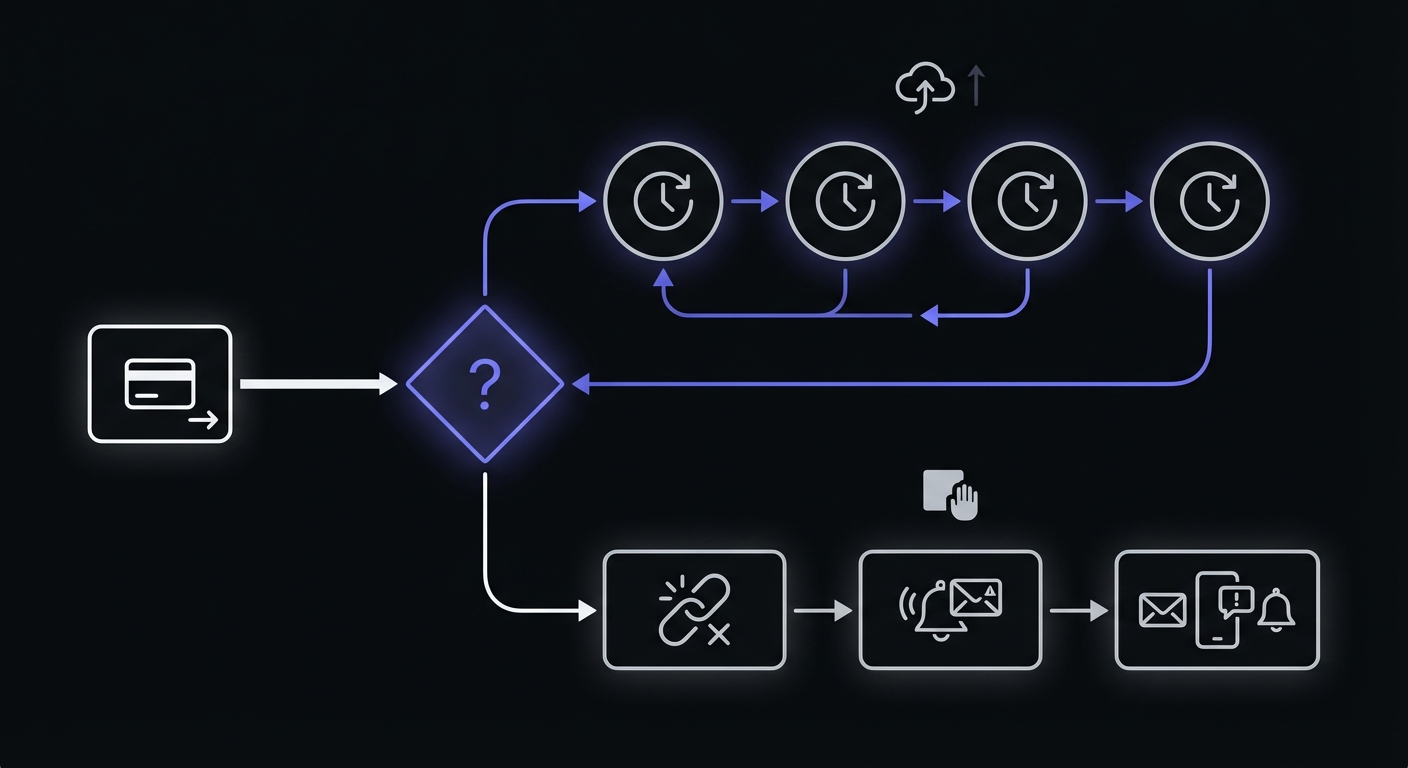
Payment retries are crucial for recovering failed charges. Automated retry logic recovers 20-25% of failed payments that would otherwise be lost. Monitor retry jobs separately from initial billing.
Understanding Soft vs Hard Declines
Not all payment failures are equal. Your retry strategy should differ based on decline type:
Soft declines are temporary issues that may succeed on retry:
- Network timeouts
- Insufficient funds (may clear on payday)
- Issuer system unavailable
- Rate limiting
Hard declines are permanent failures requiring customer action:
- Stolen or lost card
- Closed account
- Invalid card number
- Card reported as fraud
Soft declines warrant 5-7 retry attempts spread over 2-4 weeks, ideally timed around common pay cycles (1st and 15th of the month). Hard declines should trigger immediate dunning communication rather than repeated retries.
Here is an example retry job implementation:
async function processPaymentRetries() {
  await fetch(`${process.env.RETRY_MONITOR_URL}/start`);

  try {
    const failedPayments = await db.payments.findMany({
      where: {
        status: 'failed',
        retryCount: { lt: 3 },
        nextRetryAt: { lte: new Date() },
      },
    });

    for (const payment of failedPayments) {
      const result = await attemptPayment(payment);

      await db.payments.update({
        where: { id: payment.id },
        data: {
          status: result.success ? 'succeeded' : 'failed',
          retryCount: payment.retryCount + 1,
          nextRetryAt: result.success ? null : calculateNextRetry(payment),
        },
      });

      if (!result.success && payment.retryCount + 1 >= 3) {
        await triggerDunningSequence(payment);
      }
    }

    await fetch(process.env.RETRY_MONITOR_URL);
  } catch (error) {
    await fetch(`${process.env.RETRY_MONITOR_URL}/fail`);
    throw error;
  }
}
The retry job has its own monitor because it runs on a different schedule and has different criticality than initial renewals.
Alert Escalation for Billing Failures
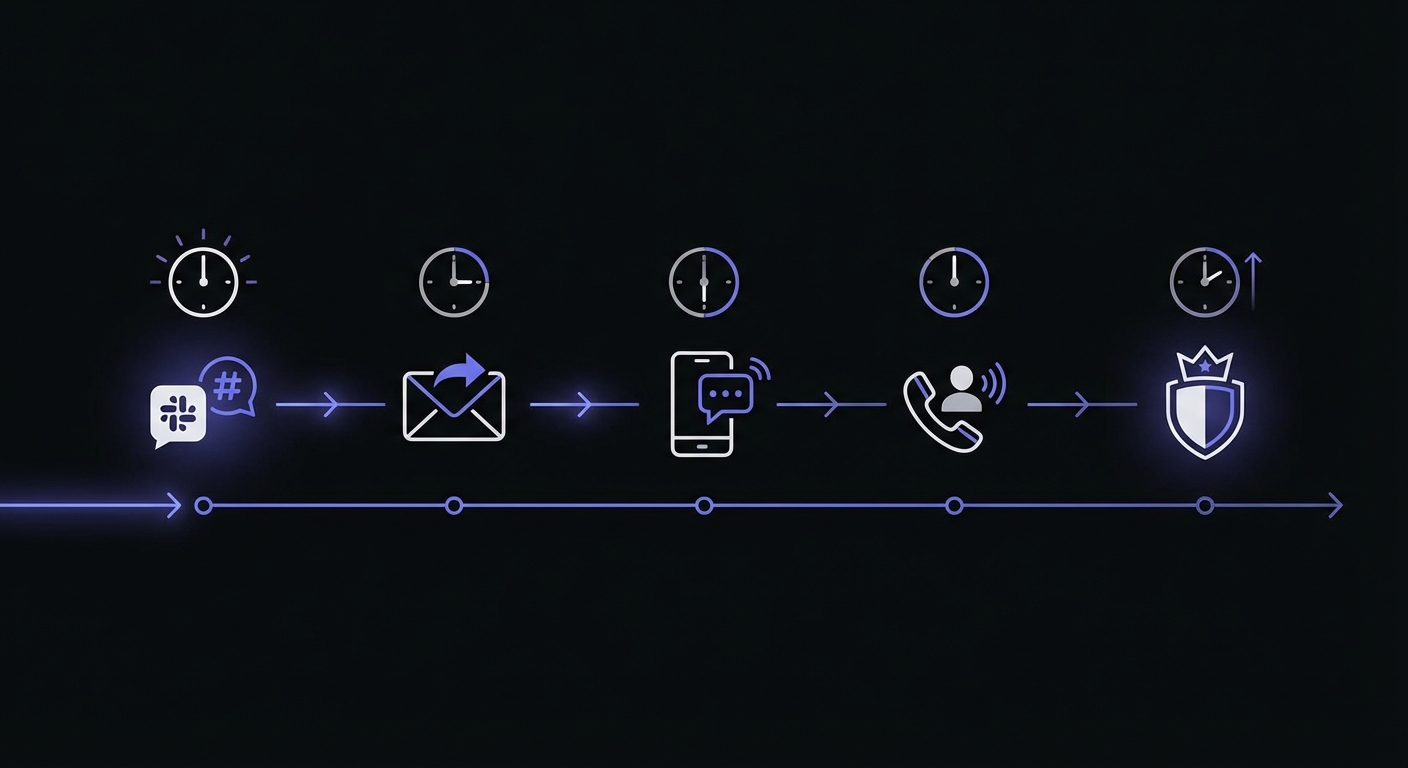
Set up escalating alerts based on how long the issue persists:
| Time Since Failure | Action |
|---|---|
| Immediate | Slack notification to #billing-alerts |
| 15 minutes | Email to engineering team |
| 30 minutes | SMS to on-call engineer |
| 1 hour | Phone call to team lead |
| 2 hours | Executive notification |
This escalation ensures that someone always responds to billing failures, even outside business hours.
Audit Trail Importance
When billing issues occur, you need to answer questions quickly:
When did the job last run successfully? Monitoring history shows you exactly when things were working and when they stopped.
What was processing when it failed? Logs from the job combined with monitoring timestamps help isolate the failure point.
How many billing cycles were affected? Duration of the outage combined with your billing schedule tells you the blast radius.
Configure your monitoring to retain history for at least 90 days. Billing disputes and audits can surface months after the fact.
Recovery Playbook
Have a documented process for recovering from billing job failures:
-
Assess the blast radius: How long was the job down? How many subscriptions were affected?
-
Review pending actions: Query your database for subscriptions that should have been processed but were not.
-
Process carefully: Run recovery in batches, not all at once. Monitor for errors and payment provider rate limits.
-
Handle idempotency: Ensure your recovery process does not double-charge customers. Use idempotency keys and check for existing charges.
-
Communicate proactively: If customers will see delayed charges or unusual billing timing, notify them before they contact support.
-
Document the incident: Record what happened, why, and what you are doing to prevent recurrence.
Choosing the Right Tool
For billing job monitoring, look for:
- High reliability: The monitoring service itself needs to be more reliable than your jobs
- Fast alerting: Delays in notification cost you money
- Multiple channels: Email, Slack, SMS, and phone for escalation
- Duration tracking: Catch slow jobs before they time out
- History and reporting: Support incident investigation and audits
- Smart retry insights: Modern platforms offer AI-powered analytics that can suggest optimal retry timing based on historical patterns
Many billing platforms like Stripe now include AI-powered smart retries that achieve 70-80% recovery rates on failed payments. Your cron monitoring should complement these built-in features by ensuring the retry jobs themselves run reliably.
For a detailed comparison of monitoring solutions, see our guide to the best cron monitoring tools and pricing comparison.
Conclusion
Billing jobs are too important to monitor casually. A few hours of undetected failure can create days of recovery work and erode customer trust. By implementing comprehensive monitoring with tight grace periods and aggressive alerting, you ensure that billing issues are caught and addressed before they impact your business.
Start by inventorying all your billing-related cron jobs. Add monitoring to each one, configure appropriate alert channels, and set up an escalation policy. The investment pays for itself the first time you catch a failure before it becomes a crisis.
Cron Crew provides the reliability and alerting capabilities that billing jobs demand. With SMS alerts, Slack integration, and detailed history, you will have full visibility into your billing infrastructure. Set up your billing monitors today and protect your revenue.