Database Backup Monitoring Guide
Everyone sets up backups. Almost no one monitors them. You only discover failures when you need to restore during a crisis. Here's how to monitor backup jobs.
Database Backup Monitoring Guide
Everyone sets up backups. Almost no one monitors them. This is one of the most dangerous patterns in software operations. Backup jobs fail silently, and you only discover the failure when you need to restore data during a crisis. By then, it is too late. This guide explains how to monitor your backup jobs so you always know they are running.
The Backup Job Paradox
There is a fundamental disconnect between how important we know backups are and how little attention we give them after initial setup:
Setup day: You carefully configure your backup script, test that it works, and add it to cron. You feel responsible and prepared.
Day 30: The backup job has been silently failing for two weeks because the disk filled up. You have no idea.
Day 90: You need to restore from backup after an accidental deletion. You discover your most recent backup is from Day 15.
This scenario plays out constantly. Industry research shows that 60% of backups are incomplete, and over 50% of restore attempts fail. More sobering: 60% of companies that lose their data shut down within six months. The backup was configured. It just was not running.

The stories are always similar: "I thought backups were running." "The cron job stopped and nobody noticed." "We did not realize the storage was full." These are preventable failures that happen because backup success is assumed, not verified. For small businesses especially, this oversight can be catastrophic, as we discuss in our cron monitoring guide for small businesses.
Common Backup Job Types
Your infrastructure likely has several types of backup jobs:
Database dumps: Using tools like pg_dump, mysqldump, or mongodump to export database contents. These are often scheduled daily or more frequently for critical databases.
Application file backups: Copying uploaded files, configuration, and other application data. These complement database backups to provide complete recovery capability.
Cloud snapshot automation: Scripts that trigger and verify snapshots of cloud volumes (AWS EBS, GCP Persistent Disks). Snapshots are only useful if they actually complete.
Log rotation and archival: Moving logs to long-term storage before deletion. Compliance requirements often mandate log retention.
Media and upload backups: User-uploaded content, images, documents, and other files that live outside your database.
Each of these jobs can fail independently. Each needs monitoring.
Why Backup Jobs Fail
Understanding failure modes helps you appreciate why monitoring matters:
Disk space exhaustion: The most common cause. Backups grow over time, and eventually the destination runs out of space. The job fails, but nothing alerts you.
Network timeouts: Uploading backups to S3 or remote storage can timeout during network issues. Partial uploads may be corrupted and unusable.
Permission changes: A system update changes file permissions or credentials expire. The backup script no longer has access to what it needs.
Database locks: Long-running transactions or locks can cause backup tools to timeout or produce inconsistent exports.
Memory exhaustion: Large databases may cause backup tools to run out of memory, especially on constrained systems.
Credential expiration: API keys for cloud storage, database passwords, or SSH keys expire. The backup script fails to authenticate.
None of these failures announce themselves. The job exits with an error, but unless something watches for that error, it goes unnoticed.
Backup Retention and the 3-2-1 Rule
Before discussing monitoring, establish a solid backup strategy. The industry-standard 3-2-1 rule provides a framework:
- 3 copies of your data (production plus two backups)
- 2 different storage types (local disk and cloud, or two cloud providers)
- 1 off-site copy (geographically separate from your primary data)
Some organizations extend this to the 3-2-1-1-0 rule: add one offline/air-gapped copy (critical for ransomware protection), and verify zero errors in backup validation.
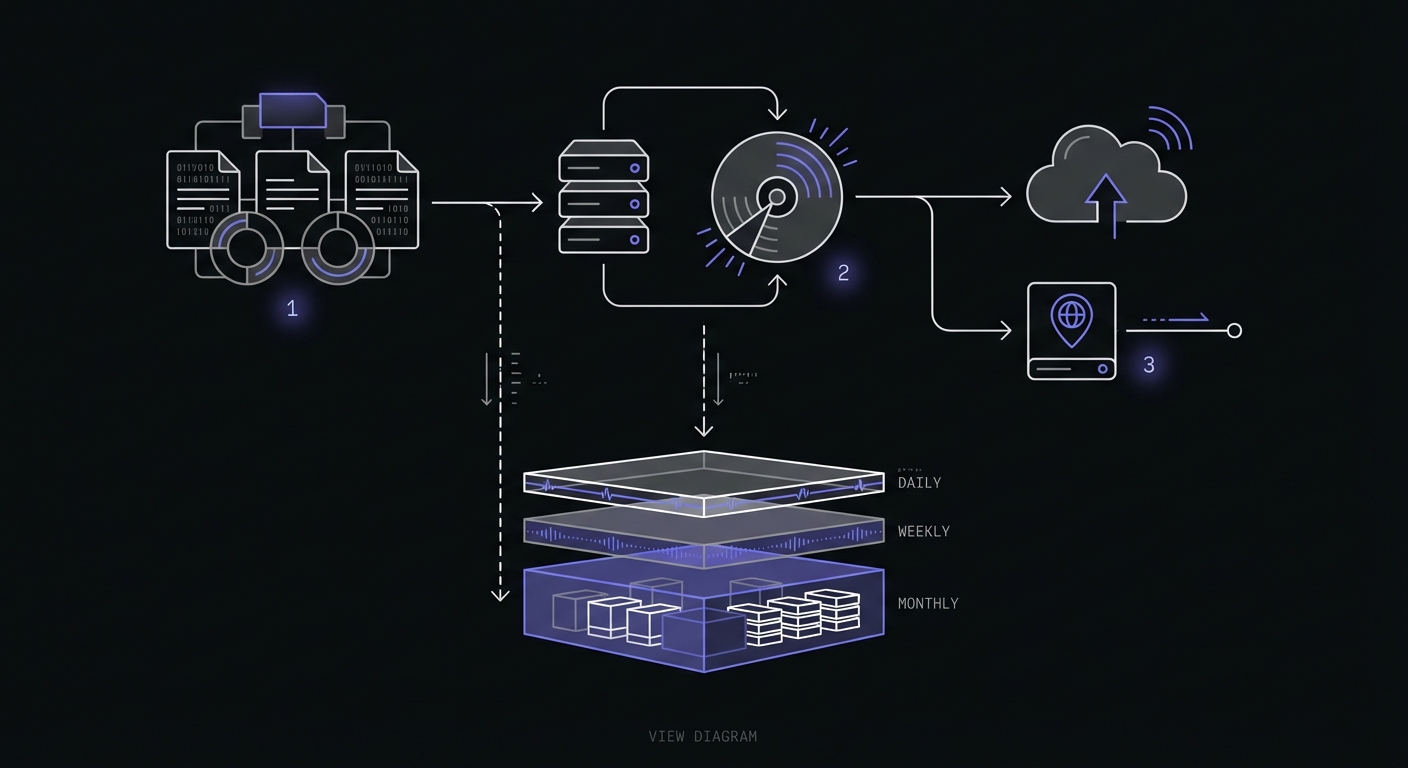
Retention policy framework: A common approach keeps daily backups for 7 days, weekly backups for 4 weeks, and monthly backups for 12 months. Adjust based on your compliance requirements and storage budget.
Encryption: Always encrypt backup files, especially when storing them in cloud storage. Use AES-256 encryption and manage keys securely. Consider using read-only database users for backup scripts to minimize security exposure.
RPO and RTO Planning
Two metrics define your backup requirements:
Recovery Point Objective (RPO): How much data can you afford to lose? If your RPO is 1 hour, you need backups at least hourly. Transaction-heavy systems like databases often need 15-minute or continuous backups.
Recovery Time Objective (RTO): How long can you be down? If your RTO is 2 hours, your restore process must complete within that window. This affects where you store backups and how you structure them.
Define these before implementing backups. They drive every decision from backup frequency to storage location to monitoring urgency.
Backup Monitoring Strategy
Effective backup monitoring includes several layers:
Monitor every backup job: No exceptions. If a job creates or transfers a backup, it needs monitoring.
Track duration: Backup duration is a leading indicator. If your nightly backup usually takes 20 minutes but suddenly takes 2 hours, something changed. Maybe data growth, maybe performance issues, maybe the storage target is degraded.
Verify backup integrity: Running a backup job is not the same as having a usable backup. Schedule separate verification jobs that test backup integrity.
Use multiple alert channels: Backup failures should alert via Slack and email at minimum. For critical systems, include SMS. See our best cron monitoring tools comparison for services with strong alerting capabilities.
Example: PostgreSQL Backup Monitoring
Here is a complete monitored backup script for PostgreSQL:
#!/bin/bash
set -e

# Configuration
MONITOR_URL="${POSTGRES_BACKUP_MONITOR_URL}"
BACKUP_DIR="/backups"
DB_NAME="production"
S3_BUCKET="my-company-backups"
DATE=$(date +%Y%m%d_%H%M%S)
BACKUP_FILE="${BACKUP_DIR}/${DB_NAME}_${DATE}.sql.gz"

# Signal start
curl -fsS "${MONITOR_URL}/start" || echo "Monitor start ping failed"

# Create backup
if pg_dump -h localhost -U backup_user "${DB_NAME}" | gzip > "${BACKUP_FILE}"; then
    echo "Backup created: ${BACKUP_FILE}"

    # Upload to S3
    if aws s3 cp "${BACKUP_FILE}" "s3://${S3_BUCKET}/postgres/"; then
        echo "Backup uploaded to S3"

        # Clean up local file
        rm "${BACKUP_FILE}"

        # Signal success
        curl -fsS "${MONITOR_URL}" || echo "Monitor success ping failed"
    else
        echo "S3 upload failed"
        curl -fsS "${MONITOR_URL}/fail" || echo "Monitor fail ping failed"
        exit 1
    fi
else
    echo "pg_dump failed"
    curl -fsS "${MONITOR_URL}/fail" || echo "Monitor fail ping failed"
    exit 1
fi
Schedule this with cron:
0 2 * * * /opt/scripts/backup_postgres.sh >> /var/log/backups.log 2>&1The script signals start before doing anything, signals success only after both the dump and upload succeed, and signals failure if either step fails.
Monitoring Backup Verification Jobs
Having a backup is not enough. You need to know the backup is restorable. Schedule regular verification jobs that actually test your backups:
#!/bin/bash
set -e

MONITOR_URL="${BACKUP_VERIFY_MONITOR_URL}"
S3_BUCKET="my-company-backups"
VERIFY_DIR="/tmp/backup_verify"

curl -fsS "${MONITOR_URL}/start"

# Get latest backup
LATEST_BACKUP=$(aws s3 ls "s3://${S3_BUCKET}/postgres/" | sort | tail -n 1 | awk '{print $4}')

if [ -z "${LATEST_BACKUP}" ]; then
    echo "No backup found"
    curl -fsS "${MONITOR_URL}/fail"
    exit 1
fi

# Download and extract
mkdir -p "${VERIFY_DIR}"
aws s3 cp "s3://${S3_BUCKET}/postgres/${LATEST_BACKUP}" "${VERIFY_DIR}/"
gunzip "${VERIFY_DIR}/${LATEST_BACKUP}"

# Verify SQL is valid (basic check)
BACKUP_SQL="${VERIFY_DIR}/${LATEST_BACKUP%.gz}"
if head -1 "${BACKUP_SQL}" | grep -q "PostgreSQL database dump"; then
    echo "Backup appears valid"
    rm -rf "${VERIFY_DIR}"
    curl -fsS "${MONITOR_URL}"
else
    echo "Backup validation failed"
    rm -rf "${VERIFY_DIR}"
    curl -fsS "${MONITOR_URL}/fail"
    exit 1
fi
For thorough verification, restore to a test database and run queries. The level of verification depends on how critical the data is.
Duration Tracking for Backups
Backup duration provides early warning of problems:
| Duration Change | Possible Cause |
|---|---|
| Gradually increasing | Data growth, need larger backup window |
| Sudden increase | Storage degradation, network issues |
| Sudden decrease | Backup incomplete, data loss |
| Highly variable | Resource contention, inconsistent load |
When your monitoring service tracks job duration, you can set alerts for unusually long runs. A backup that normally takes 30 minutes but is still running after 2 hours warrants investigation before it times out.
Grace Periods for Backup Jobs
Backups are naturally variable in duration. Your grace period needs to accommodate this while still catching complete failures.
Strategy: Set your grace period to 2-3x the typical job duration. If your backup usually takes 45 minutes, a 2-hour grace period catches complete failures while allowing for slow nights.
Monitor schedule alignment: If your backup runs at 2 AM and takes about an hour, configure your monitor to expect a ping by 4 AM. Missing that window triggers an alert.
Recovery Time Considerations
Monitoring tells you the backup ran, but does not tell you how long a restore would take. Consider these factors:
Backup size affects restore time: A 100GB backup might take hours to download and restore. Know this number before you need it.
Test restores regularly: Do not wait for a disaster to try restoring. Schedule periodic restore tests to a non-production environment.
Monitor the restore test job: If you have automated restore testing, monitor that job too. A failing restore test is as important as a failing backup.
Multi-Tier Backup Monitoring
Critical systems deserve multiple backup layers, each monitored independently:
Production Database
├── Primary backup to S3 (daily, monitored)
├── Secondary backup to different region (daily, monitored)
├── Continuous WAL archiving (monitored)
└── Weekly full backup verification (monitored)
Each monitor is independent. A failure in one tier does not mask failures in others.
Setting Up Your Monitoring
For each backup job, configure:
- A unique monitor with a schedule matching your backup job
- Generous grace period accounting for backup variability
- Alert channels appropriate to the data criticality
- Duration tracking to catch gradual degradation
Example monitor settings for a nightly database backup:
| Setting | Value |
|---|---|
| Schedule | Daily at 2:00 AM |
| Grace period | 3 hours |
| Expected duration | 30-60 minutes |
| Alert channels | Email, Slack |
| Escalation | SMS after 1 hour of alert |
Cloud Provider Backup Monitoring
If you use managed database services, leverage their native monitoring alongside your job monitoring:
AWS Backup with EventBridge: AWS Backup emits events to EventBridge every 5 minutes when backup job states change. You can trigger Lambda functions or SNS notifications on FAILED, COMPLETED, or ABORTED states. This complements your cron monitoring by catching failures in managed backups.
Azure Backup with Azure Monitor: Azure raises alerts within 20 minutes of backup failures. Built-in alerts include job failures (Severity 1) and security events like disabled soft-delete (Severity 0, cannot be disabled). Route alerts to email, Slack, or your ticketing system.
Alert types to configure:
| Alert Type | Severity | Action |
|---|---|---|
| Backup job failed | High | Immediate page |
| Backup job running too long | Medium | Slack notification |
| Storage quota warning | Medium | Email to ops |
| Backup data deleted | Critical | Immediate page + audit |
Native cloud monitoring catches failures in managed services, while cron monitoring catches failures in your custom backup scripts. Use both.
Conclusion
Backup failures are preventable with proper monitoring. The pattern is simple: signal when your backup starts, signal when it completes successfully, and let your monitoring service alert you when something goes wrong.
Do not wait until you need to restore to discover your backups are not running. Add monitoring to every backup job today. Include verification jobs that confirm backups are actually usable. Set up alerts that reach you promptly.
The peace of mind from knowing your backups are running is invaluable. The first time monitoring catches a failed backup before it becomes a data loss incident, you will be grateful for the hour you spent setting it up. If you are running a SaaS product, backups are just one of many critical jobs to monitor. See our complete SaaS cron monitoring guide for the full picture.
Cron Crew makes backup monitoring simple. Create a monitor, add a few curl commands to your backup scripts, and receive alerts when backups fail. Start monitoring your backups today and sleep better knowing your data is protected.