E-commerce Scheduled Task Monitoring Guide
Online stores depend on scheduled tasks running reliably. When they fail, consequences show up quickly: oversold products, delayed shipments, missed sales.

E-commerce Scheduled Task Monitoring Guide
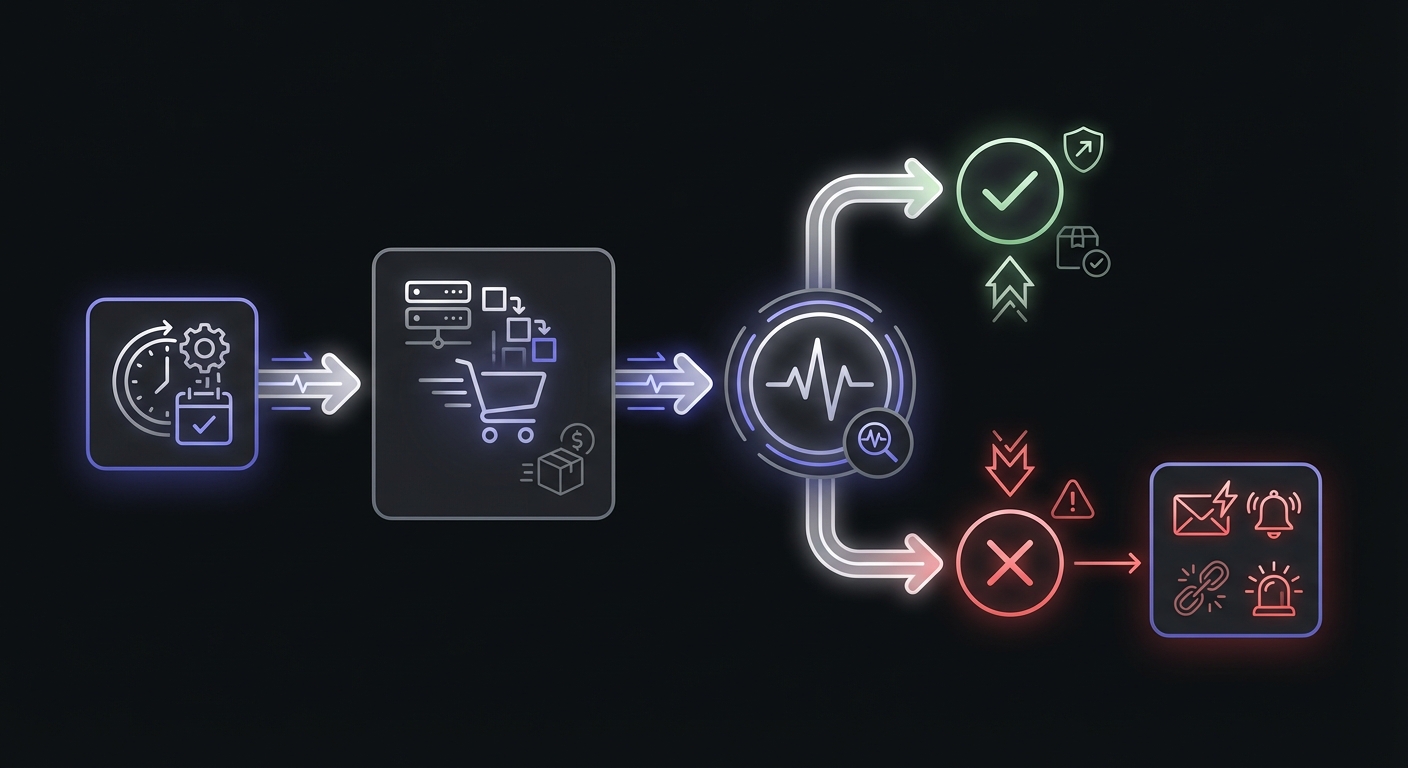
Online stores depend on scheduled tasks running reliably in the background. From syncing inventory to processing orders, these jobs keep the storefront functioning and customers happy. When they fail, the consequences show up quickly: oversold products, delayed shipments, missed sales, and frustrated customers. This guide covers the critical scheduled tasks in e-commerce operations and how to monitor them effectively.
Critical E-commerce Cron Jobs
E-commerce platforms run numerous scheduled tasks. Understanding which ones matter most helps prioritize your monitoring efforts.
Inventory sync: Keeping stock levels accurate across your store, warehouse systems, and sales channels. This job often runs frequently, sometimes every few minutes for high-volume stores. For a deep dive into this critical topic, see our dedicated guide to inventory sync monitoring.
Order processing and fulfillment: Moving orders through your pipeline, generating pick lists, and communicating with fulfillment systems. Delays here directly impact shipping times.
Price updates and sale activation: Applying scheduled price changes, starting and ending promotional pricing. A failed job means your sale does not start when customers expect it.
Product feed generation: Creating data feeds for Google Shopping, Facebook Catalog, Amazon, and affiliate networks. Stale feeds hurt your advertising effectiveness.
Abandoned cart emails: Sending recovery emails to customers who left items in their cart. These emails drive significant revenue, but only if they send. For more on keeping your email workflows running, see our email queue monitoring guide.
Shipping label generation: Pre-generating labels for orders, especially important for same-day or next-day shipping commitments.
Tax calculation updates: Syncing tax tables and rates with tax compliance services. Outdated rates mean incorrect charges and compliance issues.
Review request emails: Asking customers to review purchased products. These emails build social proof but are often overlooked when they stop sending.
Industry Impact Statistics
The numbers show why e-commerce scheduled task monitoring matters:
Cart abandonment: The average cart abandonment rate is 70.19% (Baymard Institute). Automated recovery emails recapture 5-11% of those lost sales, but only when the email jobs run reliably. A week of failed abandoned cart emails at a store processing 1,000 carts daily means 350-770 potential recoveries lost.
Inventory sync failures: Stores using real-time inventory sync report 96% fewer overselling incidents compared to batch updates. Without monitoring, sync failures go unnoticed until customers receive cancellation emails. One retailer case study showed 8+ hours per week spent on manual reconciliation before implementing automated sync monitoring.
Feed synchronization: Over 50% of Google Merchant Center account suspensions stem from price or availability errors in product feeds. A feed job failing silently for days means advertising out-of-stock products and wasting ad spend on clicks that cannot convert.
Revenue at stake: Online retailers lose approximately $18 billion annually to cart abandonment alone. Every scheduled task that fails silently chips away at this recoverable revenue.
Business Impact of Failures
Understanding the cost of failures helps justify monitoring investment:
Overselling from inventory sync failures: A customer orders a product that is actually out of stock. You have to cancel the order, issue a refund, and deal with a disappointed customer. Repeat this enough times and you damage your reputation.
Missed sales from price update failures: Your Black Friday sale was supposed to start at midnight. The price update job failed, and customers see regular prices. By the time you notice and fix it, you have lost the early morning shopping rush.
Shipping delays from label generation failures: Orders that should ship today are stuck because labels were not generated. You miss your shipping cutoff, customers receive late packages, and your seller metrics suffer.
Cart abandonment revenue loss: Your abandoned cart email job has been failing for a week. Those emails typically recover 5-10% of abandoned carts. A week of missed emails is real money lost.
SEO impact from stale feeds: Your product feed has not updated in days. New products are not showing in Google Shopping. Products that are out of stock are still being advertised, wasting ad spend on clicks that cannot convert.
Inventory Sync Monitoring
Inventory sync deserves detailed attention because the consequences of failure are immediate and visible to customers.
async function syncInventory() {
  const MONITOR_URL = process.env.INVENTORY_SYNC_MONITOR_URL;

  await fetch(`${MONITOR_URL}/start`);

  try {
    // Fetch inventory from ERP or warehouse system
    const erpInventory = await erp.getInventoryLevels();

    // Update store inventory
    let updated = 0;
    let errors = 0;

    for (const item of erpInventory) {
      try {
        await store.updateProductStock(item.sku, item.quantity);
        updated++;
      } catch (error) {
        console.error(`Failed to update ${item.sku}:`, error);
        errors++;
      }
    }

    console.log(`Inventory sync complete: ${updated} updated, ${errors} errors`);

    // Consider the job failed if too many errors
    if (errors > updated * 0.1) {
      await fetch(`${MONITOR_URL}/fail`);
    } else {
      await fetch(MONITOR_URL);
    }
  } catch (error) {
    await fetch(`${MONITOR_URL}/fail`);
    throw error;
  }
}
Notice the error threshold logic. Some individual SKU failures are tolerable, but if more than 10% fail, the job signals failure. Adjust this threshold based on your tolerance for sync errors.
Real-time vs batch sync: The sync frequency matters more than most teams realize. Shopify's native inventory sync can delay 15 minutes to 2 hours without external tooling. During flash sales or peak periods, that delay causes overselling. Real-time sync with monitoring catches failures within minutes. For stores selling across multiple channels, consider maintaining a 5-10% safety stock buffer and monitoring sync completion across all channels before releasing inventory.
Order Processing Monitoring
Order processing jobs move orders through your fulfillment pipeline. Monitor these to catch delays before they affect shipping commitments.
async function processNewOrders() {
  const MONITOR_URL = process.env.ORDER_PROCESSING_MONITOR_URL;

  await fetch(`${MONITOR_URL}/start`);

  try {
    const pendingOrders = await db.orders.findMany({
      where: { status: 'pending', createdAt: { gt: oneDayAgo() } },
    });

    console.log(`Processing ${pendingOrders.length} orders`);

    for (const order of pendingOrders) {
      await validatePayment(order);
      await allocateInventory(order);
      await sendToFulfillment(order);
      await updateOrderStatus(order, 'processing');
    }

    await fetch(MONITOR_URL);
  } catch (error) {
    await fetch(`${MONITOR_URL}/fail`);
    throw error;
  }
}
Track the duration of order processing jobs. A sudden increase in processing time might indicate payment gateway issues, fulfillment system problems, or simply higher order volume that needs attention.
Product Feed Monitoring
Product feeds power your advertising across multiple channels. Failed feed generation means wasted ad spend and missed opportunities.
async function generateProductFeed() {
  const MONITOR_URL = process.env.FEED_GENERATION_MONITOR_URL;

  await fetch(`${MONITOR_URL}/start`);

  try {
    const products = await store.getAllProducts();
    const feedXml = generateGoogleShoppingFeed(products);

    await uploadToGoogleMerchantCenter(feedXml);

    console.log(`Feed generated with ${products.length} products`);
    await fetch(MONITOR_URL);
  } catch (error) {
    console.error('Feed generation failed:', error);
    await fetch(`${MONITOR_URL}/fail`);
    throw error;
  }
}
Run feed generation frequently enough that changes propagate quickly, but monitor each run. A failed feed update might not be noticed for days otherwise.
Platform-Specific Considerations
Different e-commerce platforms have different scheduling mechanisms:
Shopify
Shopify apps handle scheduling through various mechanisms:
- Shopify Flow: Automations that trigger on events or schedules
- App-based scheduled tasks: Your app runs jobs on its own infrastructure
- Webhooks: Event-driven processing that should be monitored for reliability
For Shopify apps, monitor your own job infrastructure. Shopify does not provide visibility into whether your jobs are running.
WooCommerce
WooCommerce uses WordPress cron (wp-cron), which has known reliability issues. WP-Cron only triggers when someone visits your site, meaning low-traffic stores may miss scheduled tasks entirely.
- Replace wp-cron with system cron for reliable scheduling. Add
define('DISABLE_WP_CRON', true);to wp-config.php and set up a real server cron job - Monitor Action Scheduler: WooCommerce 3.0+ uses Action Scheduler instead of wp-cron for better reliability. It processes tasks in batches of 20 and can handle 5 queues simultaneously. Check status at WooCommerce > Status > Scheduled Actions
- Plugin-based jobs should be monitored individually, especially subscription renewals and payment processing
See the WordPress cron monitoring guide for detailed WooCommerce setup.
Custom and Headless Platforms
Building your own e-commerce platform or using a headless architecture means full control over scheduling, and full responsibility for monitoring:
- Choose your scheduler: System cron, Kubernetes CronJobs, or dedicated job queues
- Integrate monitoring from the start, not as an afterthought
- Monitor every job that affects the customer experience
Priority-Based Monitoring Strategy
Not all jobs are equally critical. Organize your monitoring by priority:
P0 - Critical (Immediate alerts, SMS escalation)
- Inventory sync
- Order processing
- Payment processing
- Subscription billing
These jobs directly affect revenue and customer experience. Failures need immediate attention.
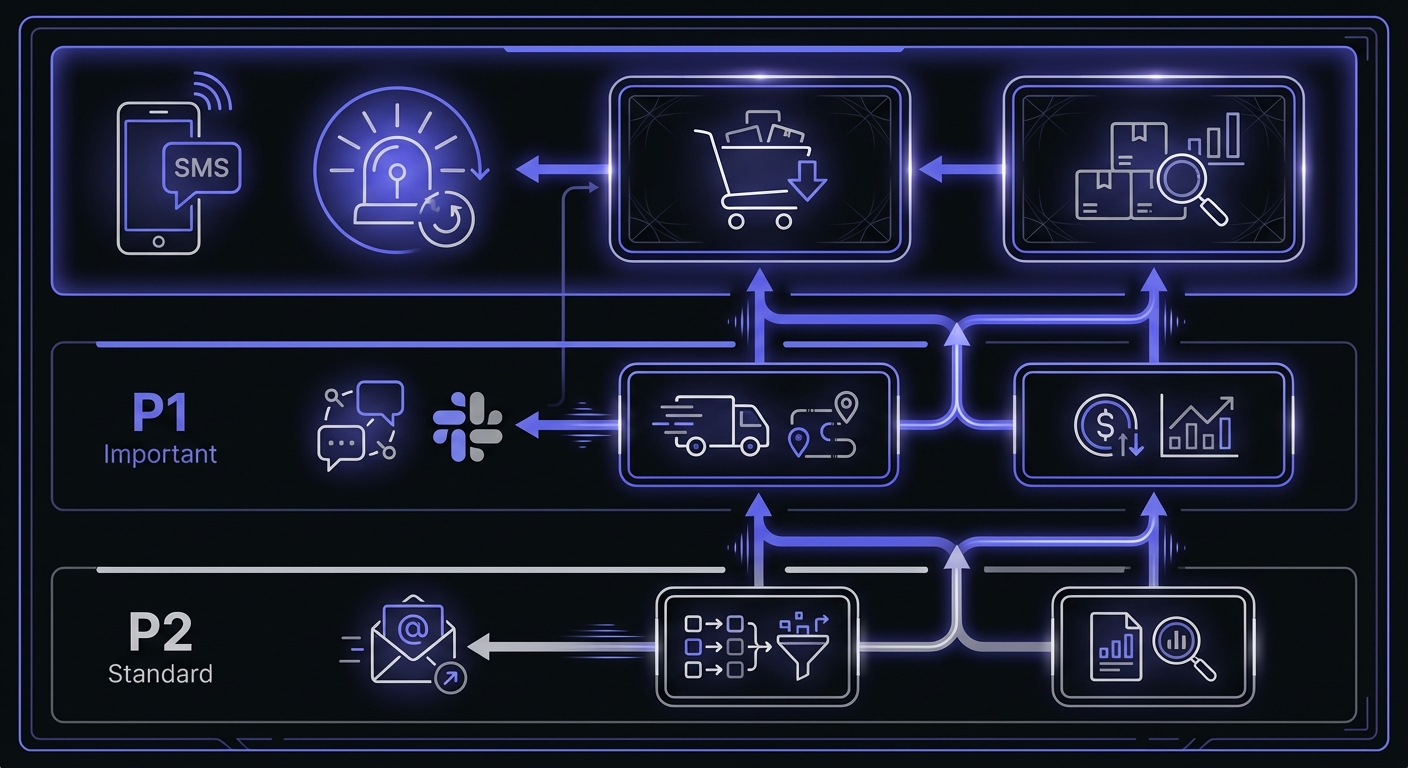
P1 - Important (Fast alerts, Slack and email)
- Shipping label generation
- Customer notifications
- Abandoned cart emails
- Price updates
Failures should be addressed within hours. These affect operations but are not emergencies.
P2 - Standard (Regular alerts, email only)
- Product feed generation
- Analytics and reporting
- Cleanup jobs
- Cache warming
These can wait until business hours. Failures are inconvenient but not urgent.
Alert Channels for E-commerce
Configure alerts based on job priority and team responsibilities:
| Job Type | Alert Channel | Who Receives |
|---|---|---|
| Inventory sync | Slack + SMS | Operations, Dev |
| Order processing | Slack | Operations |
| Price updates | Slack | Marketing, Dev |
| Product feeds | Marketing | |
| Shipping labels | Slack | Operations |
| Email campaigns | Marketing |
Do not wake people for P2 jobs. A failed analytics job at 2 AM can wait until morning. Reserve SMS and phone alerts for jobs that truly require immediate response.
Grace Periods by Job Type
Different jobs need different grace periods based on their typical duration and business tolerance:
| Job | Typical Duration | Recommended Grace Period |
|---|---|---|
| Inventory sync | 2-5 minutes | 15 minutes |
| Order processing | 1-10 minutes | 30 minutes |
| Price updates | 1-2 minutes | 10 minutes |
| Feed generation | 5-30 minutes | 1 hour |
| Email campaigns | 10-60 minutes | 2 hours |
| Cleanup jobs | Variable | 4 hours |
Set grace periods long enough to avoid false alarms but short enough to catch real failures promptly. As a rule of thumb: fast jobs (under 5 minutes) need 5-10 minute grace periods, medium jobs (5-30 minutes) need 15-30 minutes, and long-running jobs (30+ minutes) need 1-2 hours.
Building Your Monitoring Dashboard
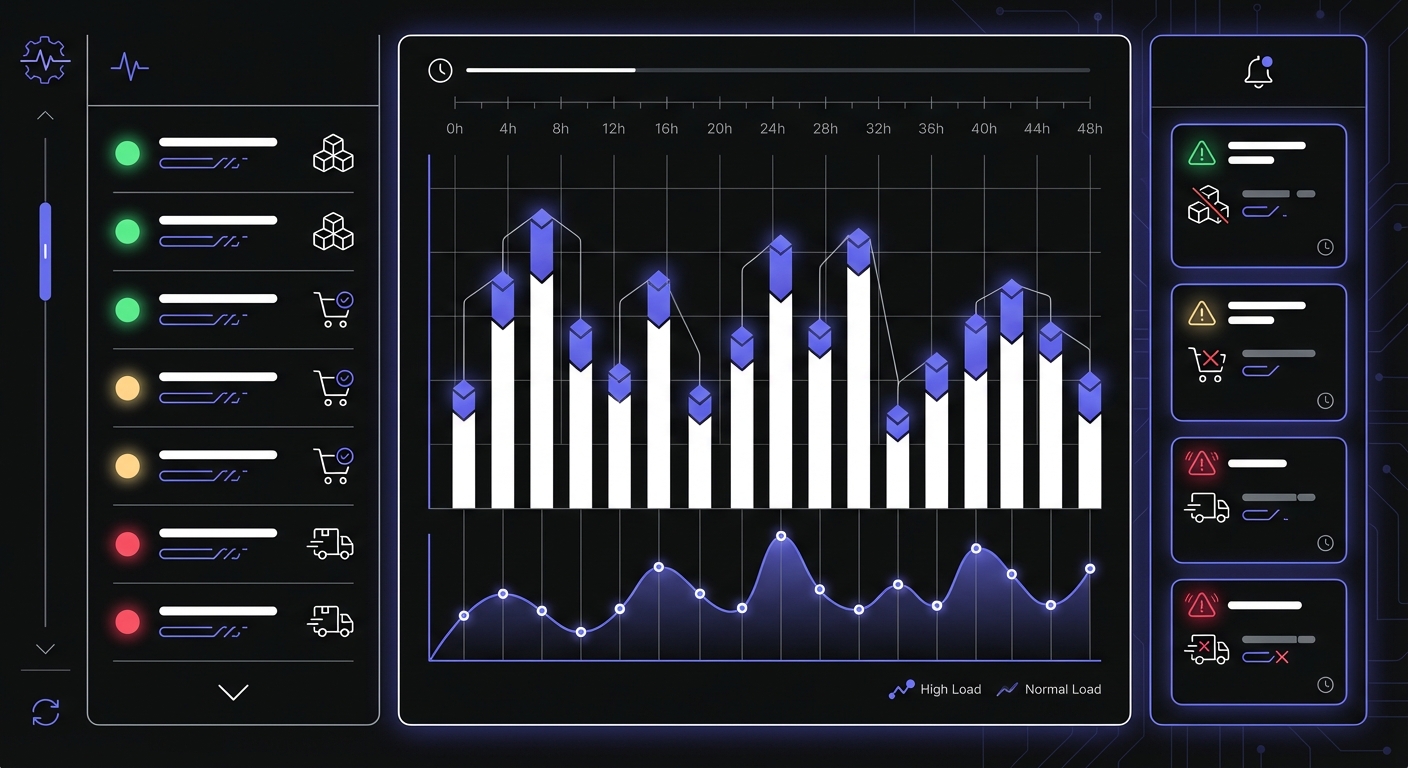
For e-commerce operations, consider a dedicated view showing:
- All monitored jobs with current status (healthy, alerting, missed)
- Recent history showing the last 24-48 hours of job runs
- Duration trends to spot jobs that are gradually slowing
- Alert log showing what notifications have been sent
This dashboard becomes your operations center, giving quick visibility into the health of your store's backend processes.
Conclusion
E-commerce scheduled tasks directly impact revenue and customer experience. A failed inventory sync leads to overselling. A failed price update means missed sales. A failed email job leaves money on the table.
Start by monitoring your most critical jobs: inventory, orders, and payments. Add monitoring to price updates and feeds next. Gradually expand coverage until all significant scheduled tasks are monitored.
Configure alerts thoughtfully. Critical jobs get immediate alerts with SMS escalation. Less critical jobs get email notifications that can be addressed during business hours. Small e-commerce businesses should also review our cron monitoring guide for small businesses for budget-friendly strategies.
Monitoring tool costs: Most cron monitoring services offer free tiers sufficient for small stores: typically 5-20 monitors with basic alerting. Paid plans start around $5-29/month for unlimited monitors and advanced features like SMS alerts and longer data retention. The cost is trivial compared to even a single overselling incident or missed promotional campaign.
Cron Crew provides the monitoring infrastructure e-commerce businesses need. With flexible alerting, duration tracking, and easy integration, you can have visibility into all your scheduled tasks within minutes.