Cron Crew vs Sentry Crons: When to Choose Each
Sentry added Crons to their error tracking platform. For teams already using Sentry, it offers integration. For everyone else, the picture is more nuanced.
Cron Crew vs Sentry Crons: When to Choose Each
Sentry launched their Crons feature to general availability in 2024, adding cron job monitoring to their well-established error tracking platform. For teams already using Sentry, Crons offers an integrated way to monitor scheduled jobs. For everyone else, the picture is more nuanced.
This comparison helps you understand when Sentry Crons makes sense and when a standalone cron monitoring tool is the better choice. For a broader look at your options, see our guide to the best cron monitoring tools.
Quick Comparison
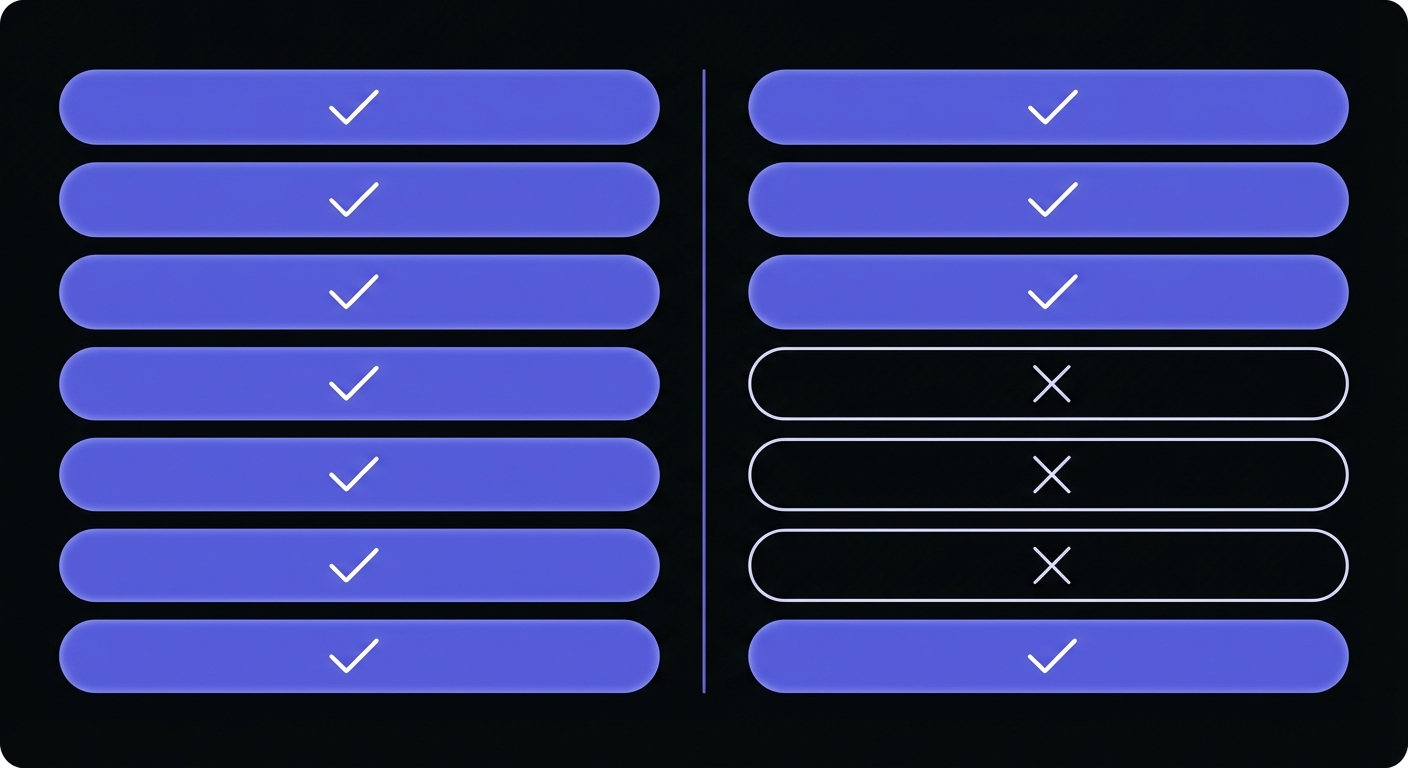
| Feature | Cron Crew | Sentry Crons |
|---|---|---|
| Standalone product | Yes | No (requires Sentry) |
| Free tier | 15 monitors | 1 monitor |
| Pricing | $15/mo (50 monitors) | $0.78 per monitor |
| Error correlation | No | Yes |
| SDK required | No | Yes |
| Works with any stack | Yes | SDK languages only |
| Email check-ins | No | No |
| Rate limit | None | 6/minute per monitor |
| SSO included | All plans | Business plan ($80/mo) |
Sentry Crons Overview
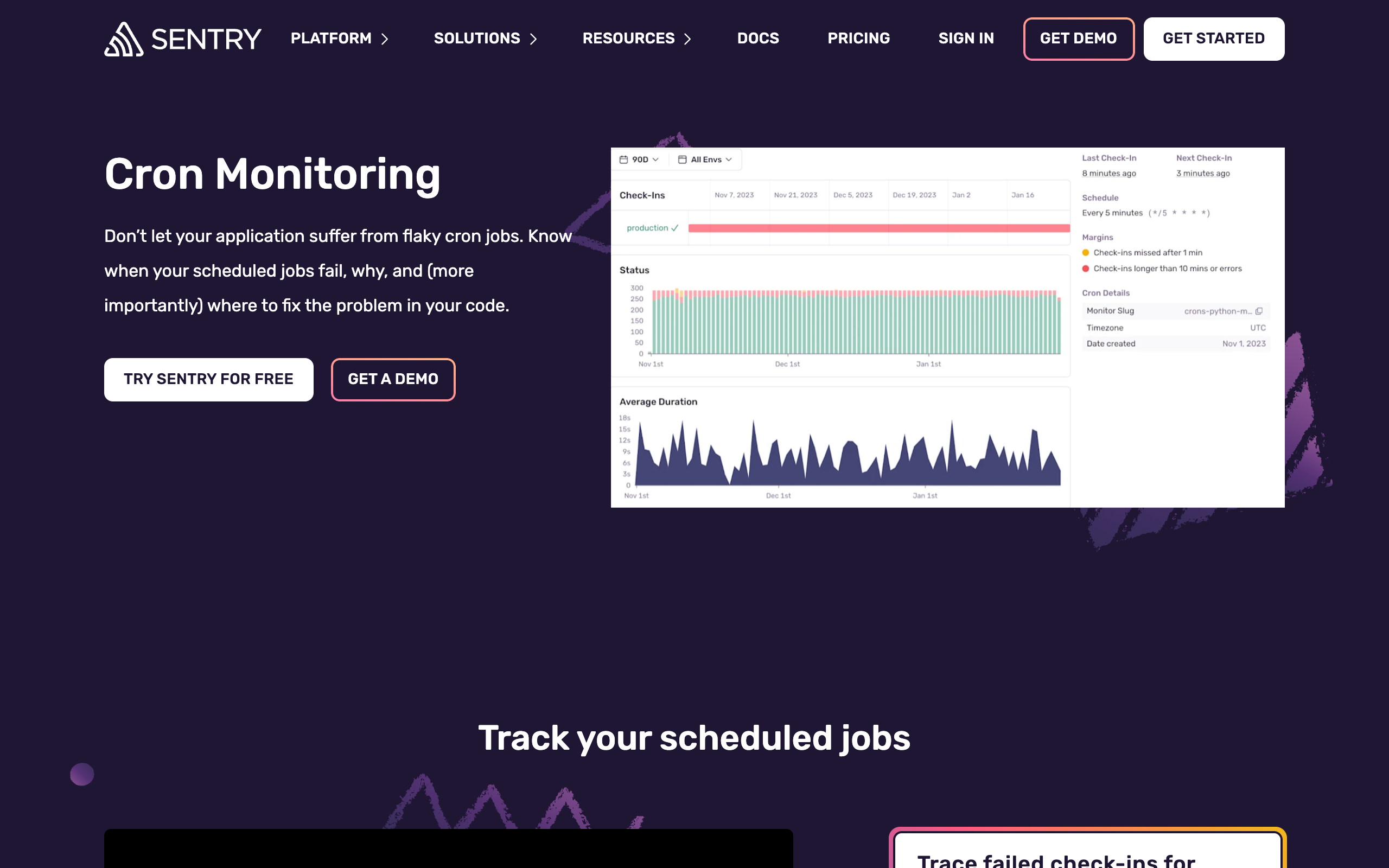
Sentry is one of the most popular error tracking platforms, used by millions of developers to monitor application errors and performance. In 2024, they added Crons as a feature within their platform.
What Sentry Crons offers:
- Error correlation: Connect cron failures with related error traces. When a job fails, see the exception details.
- SDK integration: Uses the same Sentry SDK you use for error tracking.
- Unified platform: Monitor errors, performance, and crons in one place.
- Familiar interface: If you know Sentry, you know how to navigate Crons.
How Sentry Crons works:
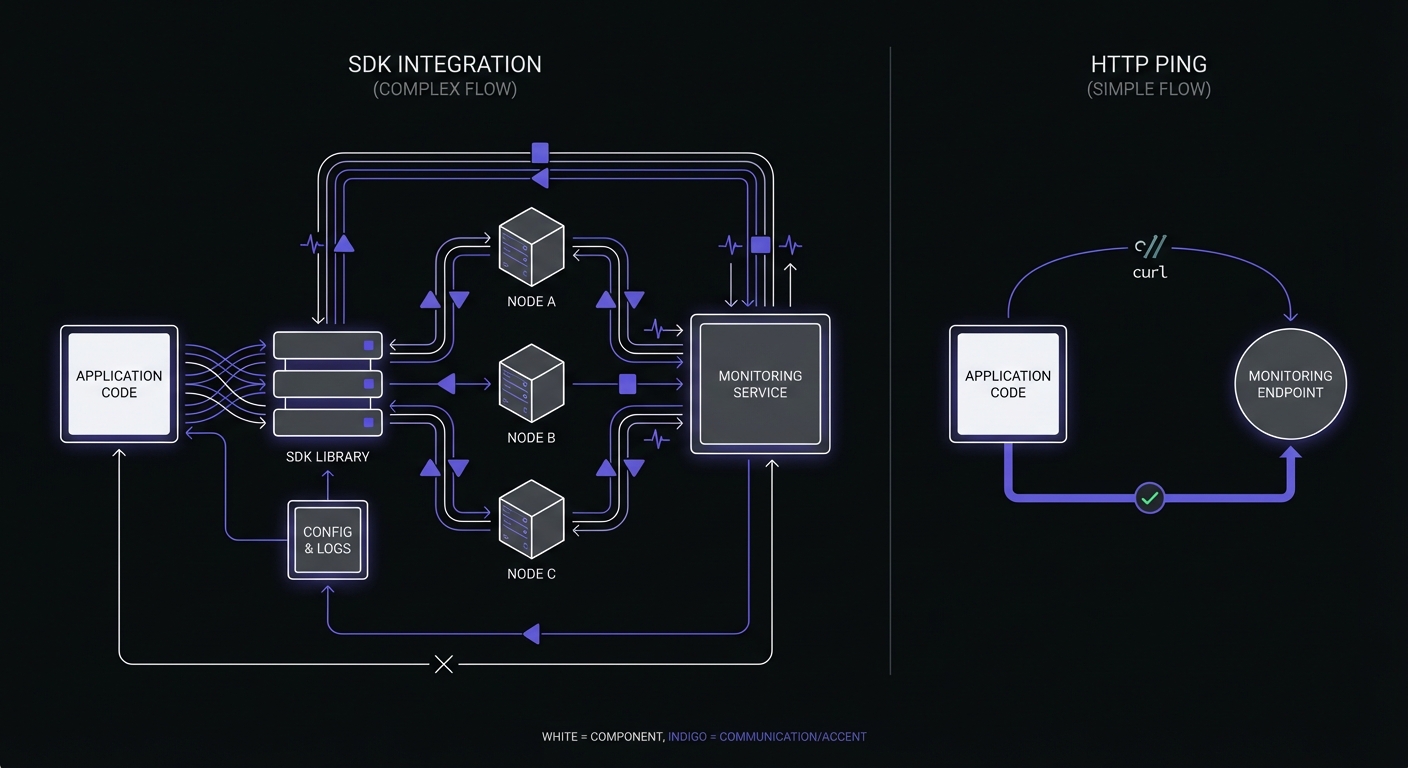
Unlike simple HTTP ping monitoring, Sentry Crons requires SDK integration:
# Python example
import sentry_sdk
from sentry_sdk.crons import monitor

@monitor(monitor_slug='my-cron-job')
def my_scheduled_job():
    # Your job code here
    pass
The SDK automatically reports job start, completion, and any errors to Sentry.
Supported SDKs and Languages:
| Language | SDK Version Required | Auto-instrumentation |
|---|---|---|
| Python | 1.17.0+ | Celery Beat |
| Node.js | 7.51.1+ | cron, node-cron libraries |
| PHP/Laravel | Latest | Laravel scheduler |
| Go | Latest | Manual |
| Java | Latest | Spring Boot, Quartz |
| Ruby | Latest | Rails |
| .NET | Latest | Manual |
Sentry also supports CLI and HTTP endpoints for languages without SDK support.
Technical constraints:
- Rate limit: 6 check-ins per minute per monitor environment
- SSO beyond Google/GitHub requires Business plan ($80/mo)
- No email check-in support (unlike Healthchecks.io and Cronitor)
- Monitors cannot be pre-purchased; billed on-demand when activated
Cron Crew Overview
Cron Crew is a standalone cron monitoring service that works with any technology stack using simple HTTP pings.
How Cron Crew works:
# Any language, any stack
curl -fsS https://your-product.example/ping/job-id
No SDK required. If your job can make an HTTP request, it can use Cron Crew.
Key characteristics:
- Standalone service: No other products required
- Stack agnostic: Works with any programming language
- Simple integration: HTTP pings, not SDK dependencies
- Focused product: Cron monitoring is the entire product
The Bundled vs Standalone Question
The fundamental choice here is whether you want cron monitoring bundled with error tracking or as a standalone service.
When Bundled Makes Sense (Sentry)
You already use Sentry for error tracking: If Sentry is already in your stack, Crons is a natural addition. Same dashboard, same SDK, same billing relationship.
Error correlation matters: Sentry's ability to connect job failures with exception traces is genuinely useful. When a job fails, you see the stack trace immediately.
You want fewer vendors: Consolidating monitoring tools under Sentry reduces vendor management overhead.
When Standalone Makes Sense (Cron Crew)
You do not use Sentry: Adopting Sentry just for Crons does not make sense. Sentry's primary value is error tracking.
You want SDK-free monitoring: Adding SDK dependencies to your application has costs. Simple HTTP pings have zero application impact.
Your stack is not SDK-supported: If you are running jobs in bash scripts, obscure languages, or legacy systems, SDK integration may not be feasible.
You want independent monitoring: If your Sentry has issues, your cron monitoring has issues. Separate tools provide independence.
Feature Comparison
Where Sentry Crons Wins
Error correlation: This is the standout feature. When a monitored job fails, Sentry can show you the exact exception that caused it:
@monitor(monitor_slug='billing-sync')
def sync_billing():
    # If this raises an exception, Sentry captures it
    # AND marks the cron monitor as failed
    process_payments()
You get the failure alert and the debugging information in one place.
Unified experience: One login, one dashboard, one notification configuration. Everything in the Sentry ecosystem.
Existing SDK integration: If you already have Sentry SDK in your codebase, adding cron monitoring requires minimal additional code.
Where Cron Crew Wins
No SDK required: Simple HTTP pings work from anywhere:
# Works in crontab
0 * * * * /path/to/job.sh && curl -s https://your-product.example/ping/hourly-job

# Works in any language
curl -fsS https://your-product.example/ping/job-id
Works with any stack: Bash scripts, legacy systems, languages without Sentry SDKs, third-party tools with webhook support.
Standalone independence: Cron Crew works regardless of your error tracking setup. Switch error trackers without affecting cron monitoring.
Simpler setup: No SDK installation, no code changes beyond adding a curl command.
Generous free tier: 15 free monitors versus 1.
Integration Depth Tradeoff
The Sentry approach offers deeper integration but requires more setup and creates tighter coupling.
Sentry approach:
- More data: Error traces, performance metrics, cron status
- More setup: SDK installation, code changes, configuration
- Tighter coupling: Application depends on Sentry SDK
Cron Crew approach:
- Less data: Success/failure signals, timing
- Less setup: Add a curl command
- Loose coupling: No application dependencies
Neither is objectively better. The right choice depends on what you value.
Integration Features Compared
| Feature | Cron Crew | Sentry Crons |
|---|---|---|
| Auto-provisioning | Yes | Yes |
| Multi-environment support | Yes | Yes |
| Timezone configuration | Yes | Yes |
| Start/finish signals | Yes | Yes |
| Job duration tracking | Yes | Yes |
| Email check-ins | No | No |
| Prometheus metrics export | No | No |
| Webhook notifications | Yes | Yes |
Both tools support the core features most teams need. The difference is in how you integrate: SDK versus HTTP.
Pricing Analysis
Sentry Crons Pricing
Sentry Crons costs approximately $0.78 per monitor per month, on top of your existing Sentry subscription.
Example costs:
- 10 monitors: ~$7.80/month
- 30 monitors: ~$23.40/month
- 50 monitors: ~$39/month
- 100 monitors: ~$78/month
This assumes you already pay for Sentry. If you do not use Sentry, you would need to add base Sentry costs.
Cron Crew Pricing
- Free: 15 monitors
- Starter ($15/mo): 50 monitors
- Pro ($29/mo): 100 monitors
Cost Comparison at Scale
| Monitors | Sentry Crons | Cron Crew | Healthchecks.io |
|---|---|---|---|
| 10 | $7.80/mo | Free | Free |
| 15 | $11.70/mo | Free | Free |
| 50 | $39/mo | $15/mo | $20/mo |
| 100 | $78/mo | $29/mo | $20/mo |
For existing Sentry users, the cost difference is meaningful but not dramatic at moderate scale. For non-Sentry users, the comparison is not even close.
Enterprise considerations: Sentry Business plan ($80/mo base) is required for SAML SSO, advanced permissions, and priority support. This adds significant cost for teams needing enterprise features.
See our full cron monitoring pricing comparison for details on all major providers.
The Already Paying Factor
If you already pay for Sentry, the incremental cost of Crons may feel small. "We are already paying for Sentry, adding Crons is just a few more dollars."
This is valid reasoning if Sentry Crons meets your needs. But consider:
- At scale, per-monitor pricing adds up
- You are increasing Sentry dependency
- You are limited to SDK-supported monitoring
Best Fit: Sentry Crons
Sentry Crons is the better choice when:
You already use Sentry extensively: If Sentry is your primary error tracking and you are happy with it, Crons is a natural extension.
Error correlation is valuable: For complex jobs where debugging failures requires stack traces, Sentry's correlation is genuinely useful.
Your jobs are in SDK-supported languages: Python, Node.js, and other languages with mature Sentry SDKs work well.
You want to consolidate vendors: Fewer tools, fewer logins, fewer billing relationships.
You are willing to add SDK dependency: The SDK approach fits your development philosophy.
Best Fit: Cron Crew
Cron Crew is the better choice when:
You do not use Sentry: Do not adopt an error tracking platform just for cron monitoring.
You want SDK-free monitoring: Simple HTTP pings with no application dependencies.
You have diverse job types: Bash scripts, legacy systems, languages without Sentry support, third-party tools.
You want standalone independence: Cron monitoring that works regardless of your error tracking choices.
You want a generous free tier: 15 free monitors covers many small projects.
You prefer simpler setup: A curl command versus SDK installation and configuration.
Can You Use Both?
Yes. These tools serve slightly different purposes, and using both is reasonable:
Sentry Crons for:
- Complex application jobs where error correlation adds value
- Jobs already wrapped in Sentry SDK
- Jobs where stack traces are essential for debugging
Cron Crew for:
- Simple heartbeat jobs
- Bash scripts and system crons
- Jobs in non-SDK languages
- Independent backup monitoring
The overlap is not complete, so using both does not mean paying for redundancy.
Conclusion
Sentry Crons is a solid feature for teams already invested in the Sentry ecosystem. Error correlation is genuinely valuable, and the unified experience appeals to teams wanting fewer tools.
For everyone else, particularly teams not using Sentry, using languages without SDK support, or preferring SDK-free monitoring, Cron Crew is the more practical choice. Simple HTTP pings work everywhere, setup takes minutes, and you are not locked into any error tracking platform.
If you are an existing Sentry user, evaluate whether the SDK approach fits your jobs. If not, or if you are not using Sentry, try Cron Crew's free tier and get cron monitoring running in minutes without any code changes.
For help making a decision, see our guide on how to choose cron monitoring for your specific needs.